SYMPTOM:
A report that contains an attribute or metric defined with ToDateTime function cannot be run, and the following error message is shown:

STEPS TO REPRODUCE:
Follow the steps below to reproduce the issue in Strategy Tutorial project:
1. Edit Access TUTORIAL_DATA_7200.mdb DW and in LU_YEAR table add the column “String_2”, with date values in a string format YYYY/MM/DD, as shown below:
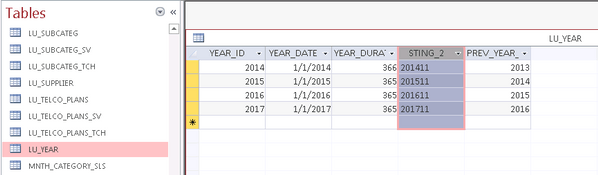
2. Launch Strategy Developer, connect to Anlytics Metadata 3-Tier project source and open Strategy Tutorial project.
3. Access to Warehouse Catalogue and update structure of table LU_YEAR. Save and close.
4. Create a new attribute “Test” and select as source table LU_YEAR table.
5. In Form Expression box click on function icon f(x), and choose ToDateTime function within Date and Time Function folder.
6. Click on Next and insert as
- Function Argument = column String_2.
- Function Parameters Pattern = YYYY/MM/DD.
7. Validate the Form Expression, click two times OK to save the Attribute “Test”, as shown below:
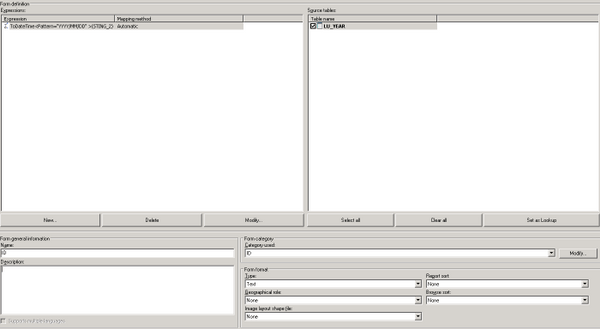
8. Create a new report, add the attribute “Test” in the grid and run the report.
CAUSE:
This is expected. The function todatetime does not have SQL syntax for all database platforms. For any database where there is no equivalent SQL syntax defined the function is only supported in the analytical engine either through a compound metric or through a derived metric.
ACTION:
Place the todatetime calculation into a derived or smart metric.
