SYMPTOM:
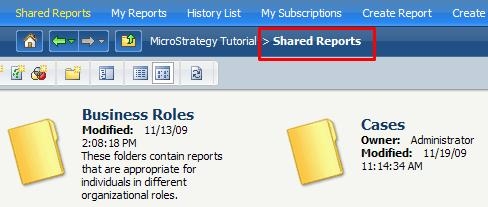
Under some projects, the navigation path in the header section shows where "Shared Reports" should be normally seen.

If the folder icon to move one level up is clicked, the user redirected to the main page, instead of inside the Shared Reports page.

However, the "Shared Reports" folder is still accessible by clicking on the "Shared Reports" link, and this path is visible when the user is actually in the folder.
CAUSE:
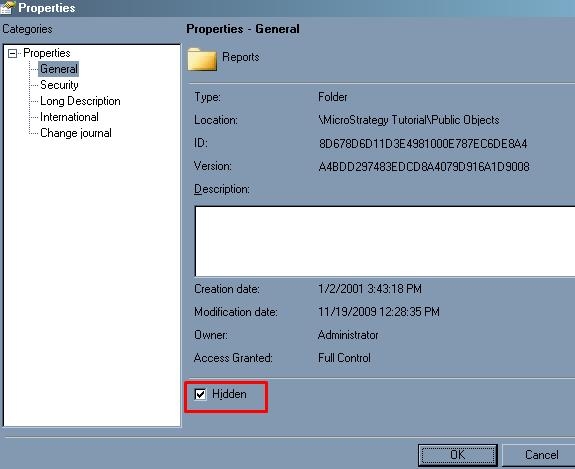
The checkbox for Hidden in the properties of the "Reports" folder under <project name>\Public Objects in Developer is checked.
ACTION:
Uncheck the Hidden checkbox.
