SYMPTOM:
In Strategy Web 9.4.x and 10.x, users can use Data Import to upload zip code data and have Strategy automatically generate Latitude and Longitude information to map in an ESRI or Google map. This process is explained further in tech note KB43301. This is done through a mapping process with a list of *.csv files that are included with the installation of Strategy that have a repository of zip codes for the United States with corresponding Latitude and Longitude coordinates.
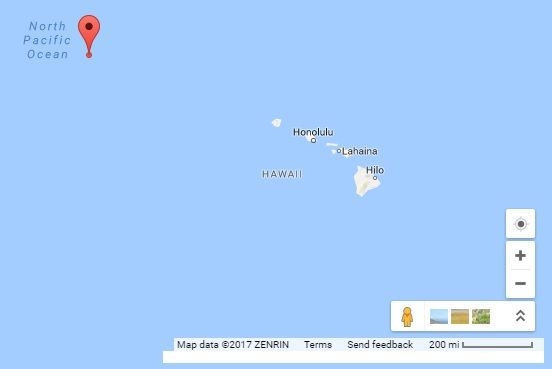
However, when mapping "Honolulu, Hawaii" with zip code "96846" in a Strategy Web 10.3 document or dashboard, the marker appears in the middle of the ocean, as seen below:
CAUSE:
This is an identified defect in Strategy Web 10.3. The zip code is mapped to the incorrect latitude and longitude information: 24.8598,-168.022, as seen in the image above in the results from testing the coordinates in maps.google.com.
ACTION:
This issue has been addressed in Strategy 10.8 and 0.4 HF4.
WORKAROUND:
Go to:
C:\Program Files (x86)\MicroStrategy\Intelligence Server\ZipCode.csv
1,14,1057,96846,24.8598,-168.022
1,14,1057,96846,21.318,-157.87
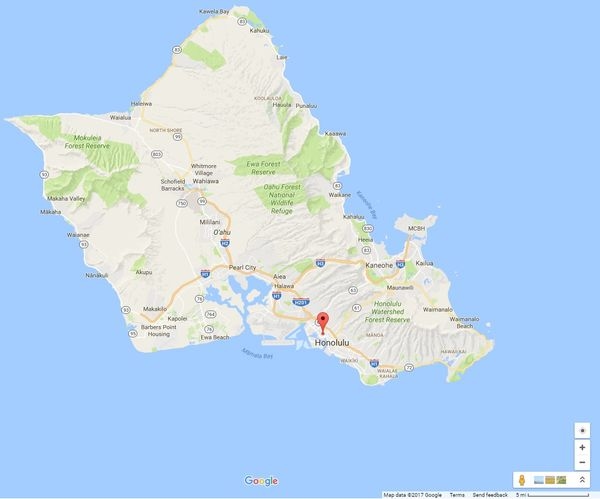
The Strategy Internal Reference Number for the issue discussed in this technical note is DE47866.
KB320295
