SUMMARY:
This article describes a known defect with Strategy Web 10.3 regarding objects disappearing from panels in a report services document when running in Presentation Mode. When making an attribute grid selection, the text boxes and grids for a different panel or panel stack can fully disappear.
SYMPTOM:
Changing selectors which target objects on different panels causes text boxes and grids to disappear on the target panel. This does not reproduce on every execution or selection change.
STEPS TO REPRODUCE:
1) In Strategy Tutorial, a report services document consisting of a main panel stack includes two panels and a grid. Each panel of the main panel stack has its own panel stack consisting of two panels, as well as their own set of text boxes and grids.
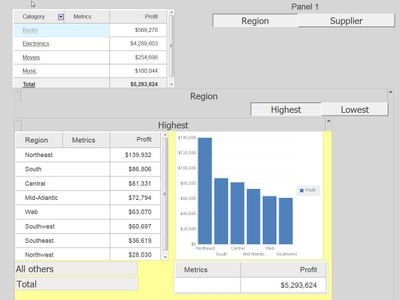
2) Before making any changes, this is the 'Supplier' panel of the main panel stack.
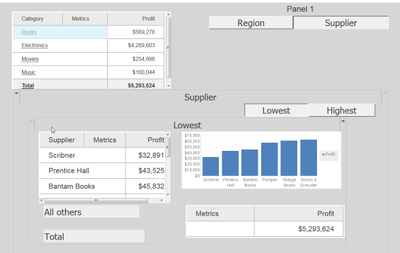
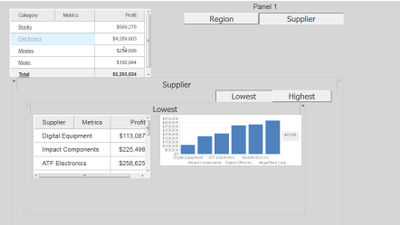
3) After selecting 'Electronics' on the 'Region' panel of the main panel stack and switching back to the 'Supplier' panel. The text boxes and grids are missing.
CAUSE:
This is an identified defect in Strategy 10.3.
ACTION:
This issue has been addressed in Strategy 10.4 and later. Upgrade to this version to take advantage of this fix.
The Strategy Internal Reference Number for the issue discussed in this technical note is DE47199.
