EducationSoftwareStrategy.com
StrategyCommunity

Knowledge Base

Product

Community

Knowledge Base

TopicsBrowse ArticlesDeveloper Zone

Product

Download SoftwareProduct DocumentationSecurity Hub

Education

Tutorial VideosSolution GalleryEducation courses

Community

GuidelinesGrandmastersEvents
x_social-icon_white.svglinkedin_social-icon_white.svg
Strategy logoCommunity

© Strategy Inc. All Rights Reserved.

LegalTerms of UsePrivacy Policy
  1. Home
  2. Topics

KB320531: How to repoint an existing report to another cube


Community Admin

• Strategy


This knowledge base article describe steps to re-point an existing report which is based on Cube A previously to another Cube B. 

You can modify the Intelligent Cube a report accesses for its data requirements. This allows you to switch to an Intelligent Cube that fits your reporting requirements without having to create a new report. 
Prerequisites:
Cube B must meet below requirements.

  • Contain all objects of the report
  • Published and loaded

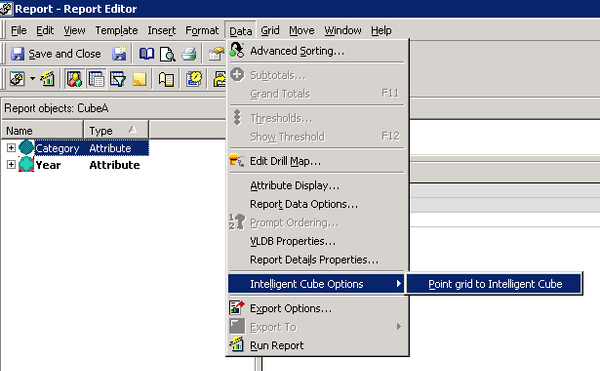
To do this, edit the report in developer and go to the Report -> Data->Intelligent Cube Options->Point grid to Intelligent Cube and choose the new target cube:
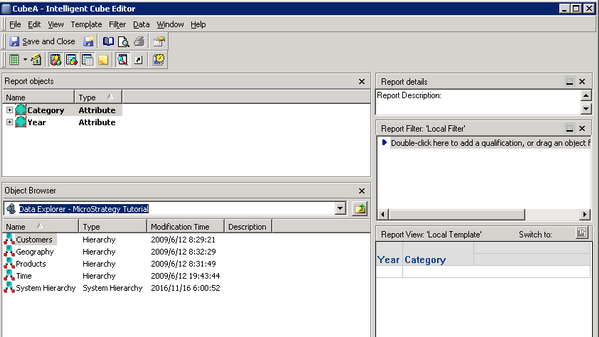
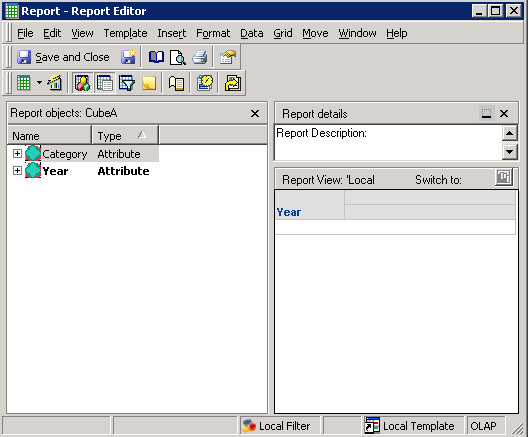
  1. Create Cube A and a report based on it.
ka04W000000ObhfQAC_0EM44000000298Y.jpeg


ka04W000000ObhfQAC_0EM44000000298e.jpeg


ka04W000000ObhfQAC_0EM44000000298c.jpeg

  
2.Create Cube B which contains all objects in the report and publish it .
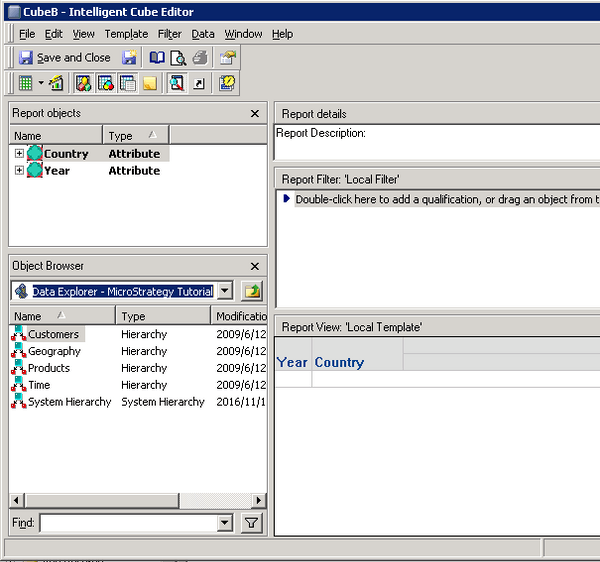
ka04W000000ObhfQAC_0EM44000000298a.jpeg


  1. Go to the Report -> Data->Intelligent Cube Options->Point grid to Intelligent Cube and choose Cube B.
ka04W000000ObhfQAC_0EM44000000298n.jpeg

 
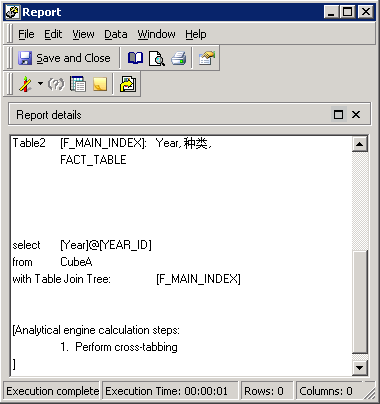
4.The report retrieves data from Cube B now.
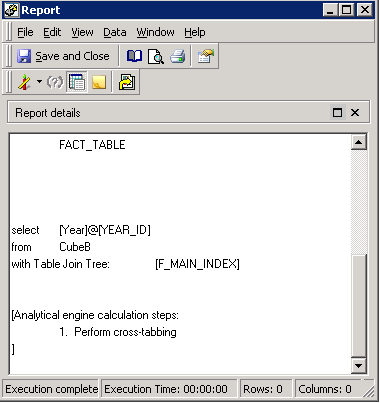
ka04W000000ObhfQAC_0EM44000000298o.jpeg


000007431


Comment

0 comments

Details

Knowledge Article

Published:

June 7, 2017

Last Updated:

August 27, 2018