EducationSoftwareStrategy.com
StrategyCommunity

Knowledge Base

Product

Community

Knowledge Base

TopicsBrowse ArticlesDeveloper Zone

Product

Download SoftwareProduct DocumentationSecurity Hub

Education

Tutorial VideosSolution GalleryEducation courses

Community

GuidelinesGrandmastersEvents
x_social-icon_white.svglinkedin_social-icon_white.svg
Strategy logoCommunity

© Strategy Inc. All Rights Reserved.

LegalTerms of UsePrivacy Policy
  1. Home
  2. Topics

KB32161: How to create a user that can only change Project Configuration in MicroStrategy


Stefan Zepeda

Salesforce Solutions Architect • Strategy


This article describes how to create a user that can only change Project Configuration in MicroStrategy

This technical note provides instructions on how to create a user that can only change the Project Configuration of a project without the "Bypass all object security checks" privilege. 
Privileges and permission are needed as below:
Here is an example on how to create a user that configures the basic settings of the Project Configuration:
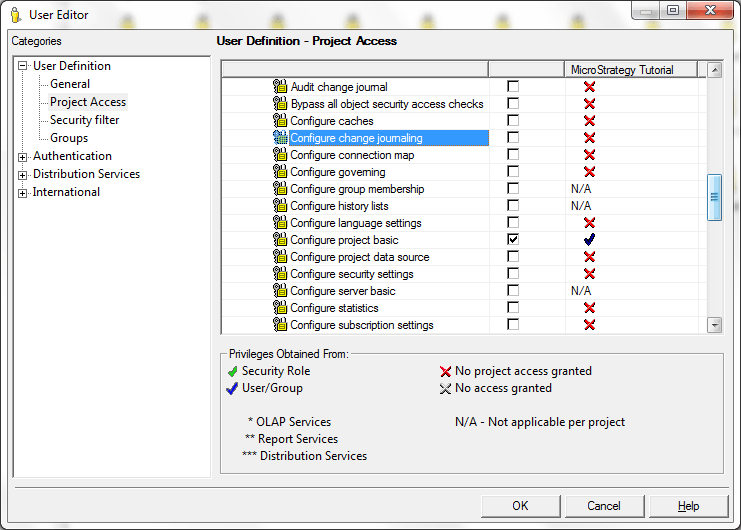
  • Create a user with the "Use Developer" and "Configure project basic" privileges.
ka0PW0000005qCTYAY_0EM440000002EAY.png
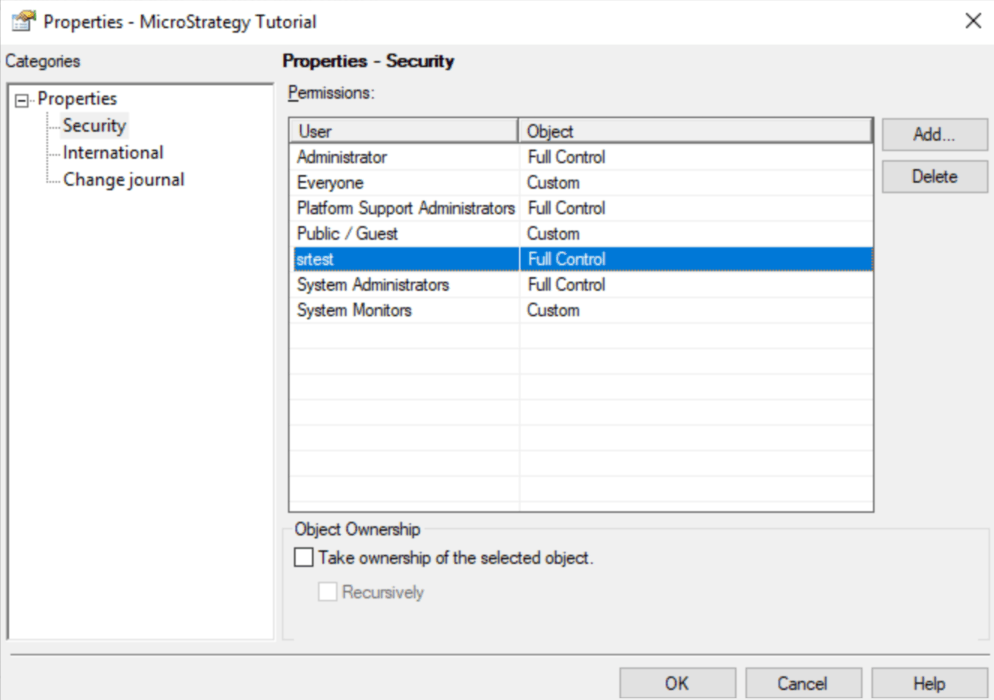
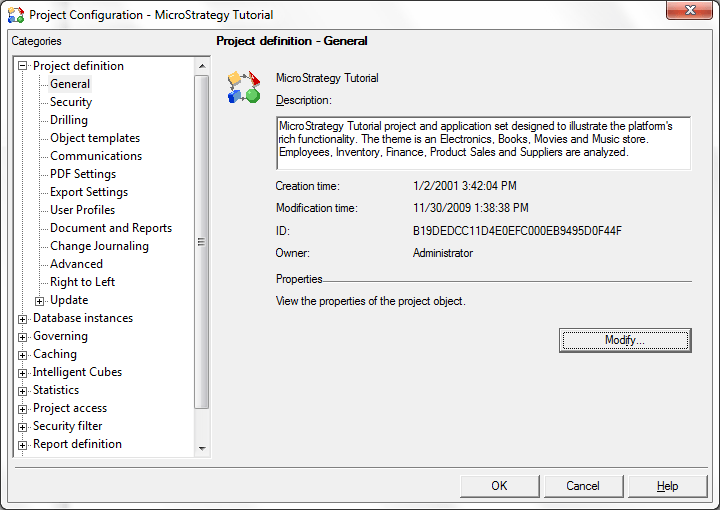
  • Change the Project Configuration Security Access List to Full Control for the selected user by going to Project Configuration > Project Definition > General and clicking the Modify button.
ka0PW0000005qCTYAY_0EM440000002EAU.png
ka0PW0000005qCTYAY_0EMPW00000OPrsv.jpeg
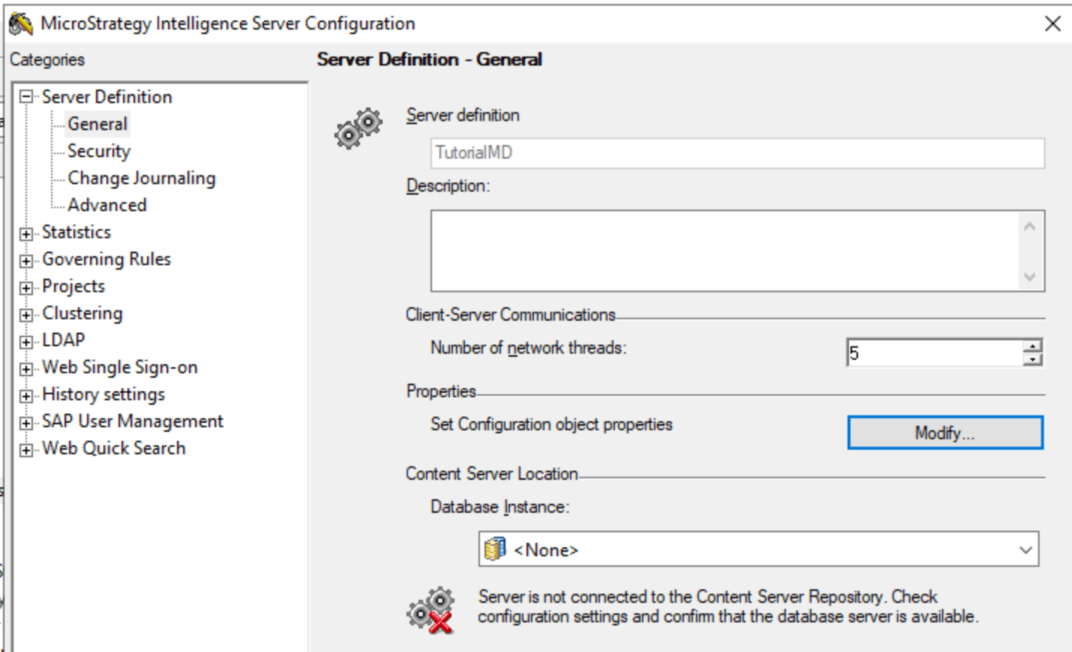
  • Change the security at the Intelligence Server level to give the user the permission on server definition. Right click on the Intelligence Server and click on "Configure Intelligence Server" and then click on "Modify" under Server Definition - General - Properties.
ka0PW0000005qCTYAY_0EMPW00000OPrzN.jpeg
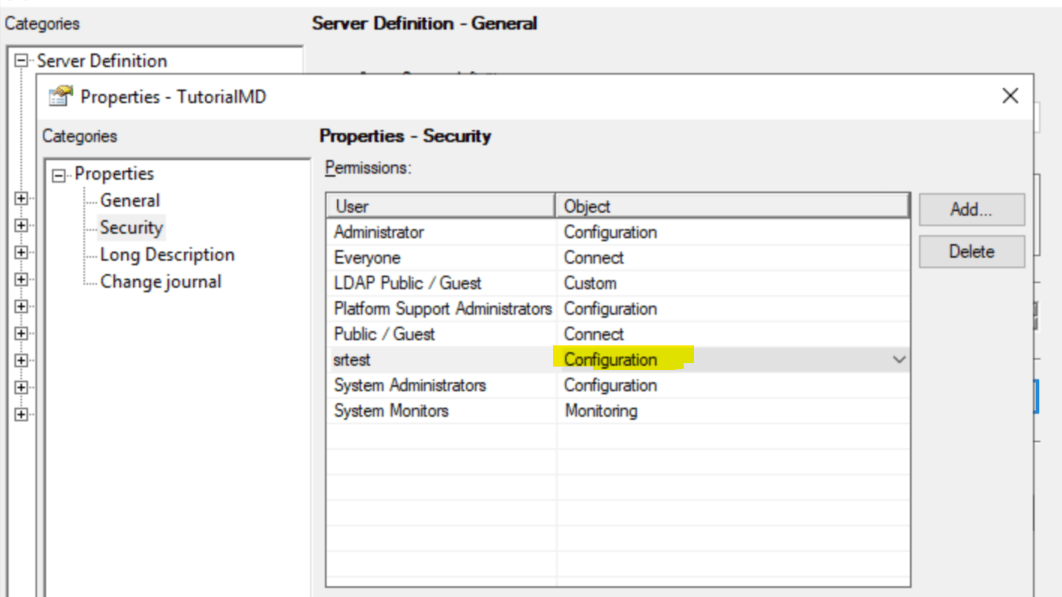
  • Got to Properties-Security tab and grant the user "Configuration" permission.
ka0PW0000005qCTYAY_0EMPW00000OPrPt.jpeg

After above settings, this user should now be able to log into the project and change the Project Configuration.


Comment

0 comments

Details

Knowledge Article

Published:

June 6, 2017

Last Updated:

May 30, 2025