EducationSoftwareStrategy.com
StrategyCommunity

Knowledge Base

Product

Community

Knowledge Base

TopicsBrowse ArticlesDeveloper Zone

Product

Download SoftwareProduct DocumentationSecurity Hub

Education

Tutorial VideosSolution GalleryEducation courses

Community

GuidelinesGrandmastersEvents
x_social-icon_white.svglinkedin_social-icon_white.svg
Strategy logoCommunity

© Strategy Inc. All Rights Reserved.

LegalTerms of UsePrivacy Policy
  1. Home
  2. Topics

KB322689: How to format the DHTML Heat Map widget to have custom color ranges in a Report Service Document in MicroStrategy Web


Community Admin

• Strategy


The DHTML version of the Heat Map widget does not have a configuration menu, like the flash based widget did. However it is still possible to change the color ranges by using thresholds applied to the second metric of the dataset. Follow these steps to format the DHTML Heat Map widget to have custom colors ranges in a Report Service Document in Strategy Web 10.x.
 
ACTION:
The DHTML Heat Map widget can be configured as below:
  • In a document, insert a grid with one attribute and 2 metrics.
  • Access the grid properties by right clicking the grid and selecting Properties and Formatting.
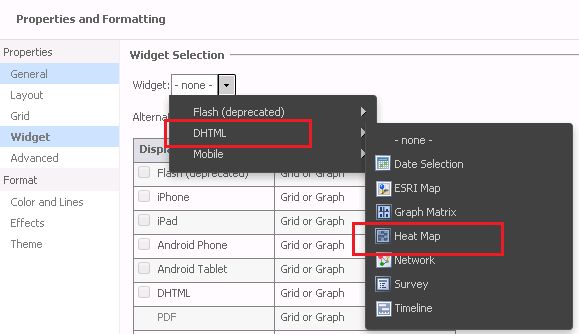
  • From the Widget selection menu, select Widget > DHTML > Heat Map, as shown below.
ka04W000000OeE8QAK_0EM4400000025OU.jpeg
  • Run the document in Editable mode.
  • Right-mouse-click on the second metric in the grid > Thresholds > Advanced.
  • Define a threshold condition.
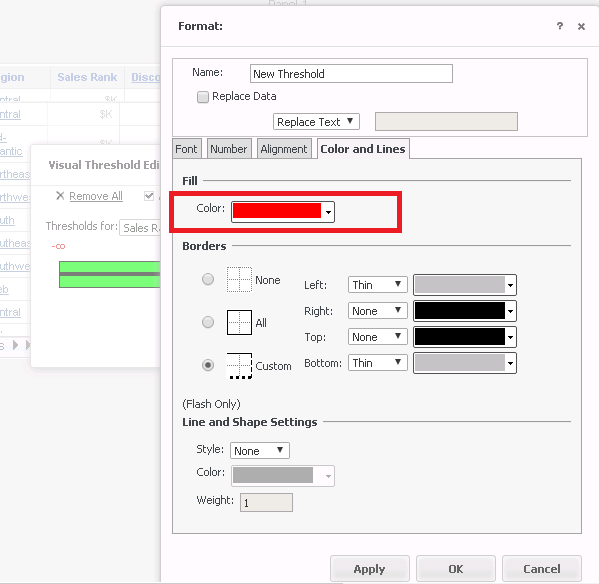
  • Modify the formatting by going to Color and Lines > Fill, and select the color, as shown below:
ka04W000000OeE8QAK_0EM4400000025OW.jpeg
  • Repeat the step above to create a series of threshold conditions to define the appropriate ranges.
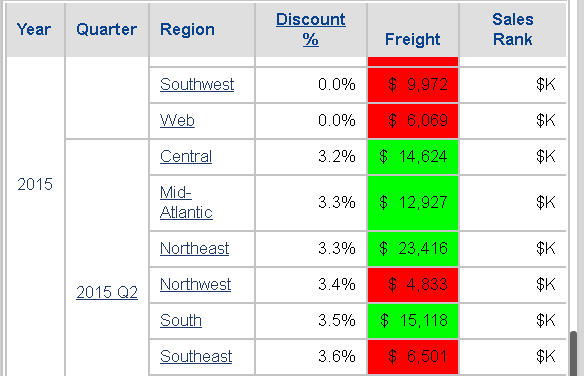
    For instance range 1 could be 0 - 10,000 = Red.
    Range 2 could be 10,000 - 20,000 = Green.
ka04W000000OeE8QAK_0EM4400000025OT.jpeg
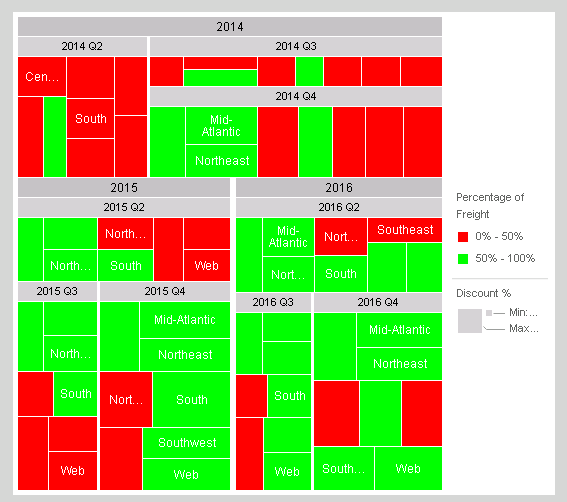
  • Save the document and run it in Presentation mode. Note that the custom color defined in thresholds is correctly applied to the Heat Map widget.
ka04W000000OeE8QAK_0EM4400000025OV.jpeg

 
The Strategy Internal Reference Number for the issue discussed in this technical note is DE20939.


Comment

0 comments

Details

Knowledge Article

Published:

June 13, 2017

Last Updated:

June 13, 2017