SUMMARY:
Typically, a timeout property specifies the time-out period assigned to the Session object for an application. If the user does not refresh or request a page within the time-out period, the session ends.
SYMPTOM:
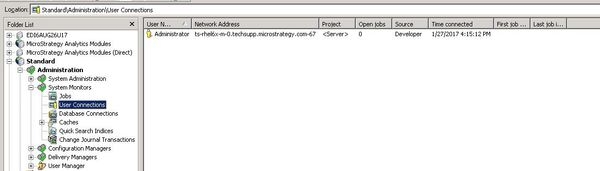
A single sign-on configuration is implemented with Strategy. If a user sends the Strategy mobile application to the background without completely closing the application and the single sign-on session timeout limit is exceeded, the user will not be prompted for their login and credentials. You can confirm that the session has timed out as the session will be removed from the session monitor within Strategy Developer.
CAUSE:
This behavior is expected. The login authentication session is stored within the service provider. From the Strategy side, the authentication is requested.
Once that is confirmed, the user can generate a session. If in the service provider session is still active, each request made by Strategy will be passed, even if the Strategy session expires.
ACTION:
This behavior has been logged as an enhancement request and it was resolved with in Strategy Mobile Server 10.5. Where the intergation with single sign-on in the Mobile Server was improved and now can handle the single sign-on timeout and prompt the end users for credentials.
322814
