EducationSoftwareStrategy.com
StrategyCommunity

Knowledge Base

Product

Community

Knowledge Base

TopicsBrowse ArticlesDeveloper Zone

Product

Download SoftwareProduct DocumentationSecurity Hub

Education

Tutorial VideosSolution GalleryEducation courses

Community

GuidelinesGrandmastersEvents
x_social-icon_white.svglinkedin_social-icon_white.svg
Strategy logoCommunity

© Strategy Inc. All Rights Reserved.

LegalTerms of UsePrivacy Policy
  1. Home
  2. Topics

KB323172: In MicroStrategy 10.4, “You do not have Use access to the Document Definition object 'Light Theme'” is seen when creating Visual Insight


Community Admin

• Strategy


SUMMARY:
This Technical note addresses an expected error encountered when insufficient permissions are granted on a required object to use Visual Insight.
 
SYMPTOM:
In Strategy 10.4, the following error message is seen when trying to create a new Visual Insight:


An error has occurred 
We are sorry for the inconvenience. Please contact your administrator for help. 
Hide Details 
(You do not have Use access to the Document Definition object 'Light Theme'.) 
 
CAUSE:
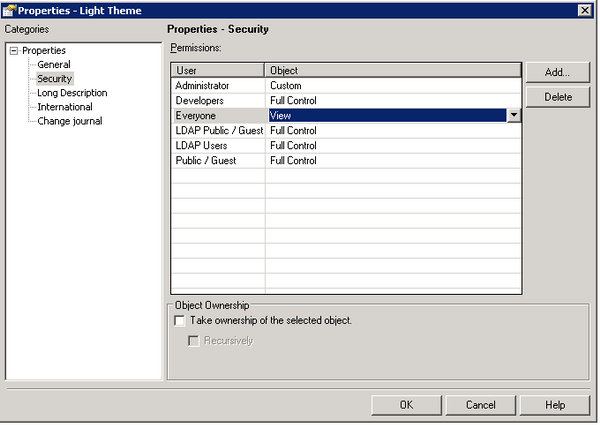
This is expected behavior. This issue occurs when the Use ACL is missing on the Light Theme object. At least View access needs to be granted for this object as it is required to create Visual Insight dashboards.
 
ACTION:
Grant at least View access to the Light Theme Object to create new Visual Insight dashboard. The Light Theme Object is located in Public Objects -> Themes.

ka04W000000OfroQAC_0EM4400000025Ne.jpeg

Comment

0 comments

Details

Knowledge Article

Published:

June 13, 2017

Last Updated:

June 13, 2017