SYMPTOM:
Automated installations offer the ability for administrators to run unattended installations while still customizing certain aspects of the Strategy installation. Please note that automated and silent installations require advanced techniques such as creating and running response.ini files. Therefore, automated and silent installations should be handled by system administrators with full knowledge of the environment and the desired Strategy installation. Please refer to the Desktop User Guide for more details on installing Strategy desktop with an automatic installation.
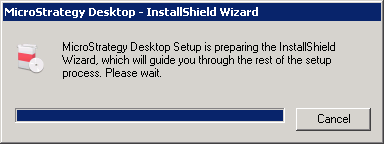
For some applications, the installations need to be run under the local system account. However, the installation cannot be run under the local system account for Strategy Desktop 10.0 – 10.3. After running the installation command, the Strategy Desktop – InstallShield Wizard window will appear as seen below, but the installation will never run.
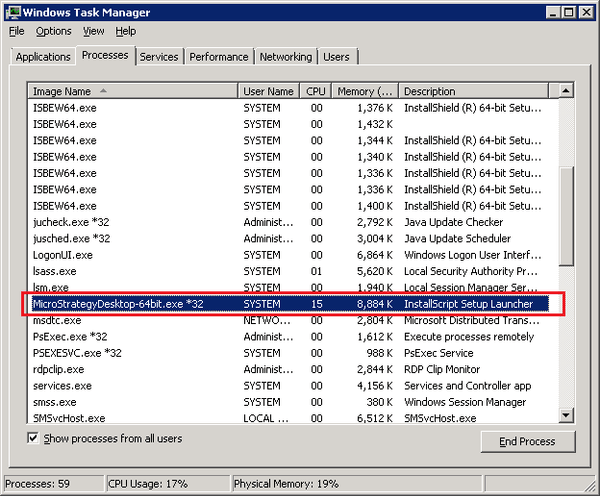
Additionally, the StrategyDesktop-64bit.exe process will be seen in Windows Task Manager running under the system account. Once the Strategy Desktop – InsallShield Wizard window disappears, the StrategyDesktop-64bit.exe process will end in Windows Task Manager as well.
STEPS TO REPRODUCE:
"C:\Users\Administrator\Desktop\MSTR\Files\StrategyDesktop-64bit.exe" --Responsefile="C:\Users\Administrator\Desktop\MSTR\Files\response.ini" -f1"C:\setup.iss" -f2"C:\Windows\options\logs\StrategyDesktop10.3\StrategyDesktop_x64_Install.log"
CAUSE:
Strategy’s installation uses the 3rd party component InstallShield. In Strategy 10.4, InstallShield was upgraded to a newer version which fixed this issue.
ACTION:
This issue has been addressed in Strategy Desktop 10.4. Upgrade to this version to take advantage of this fix.
THIRD PARTY SOFTWARE INSTALLATION WARNING:
The third-party product(s) discussed in this technical note is manufactured by vendors independent of Strategy. Strategy makes no warranty, express, implied or otherwise, regarding this product, including its performance or reliability.
