EducationSoftwareStrategy.com
StrategyCommunity

Knowledge Base

Product

Community

Knowledge Base

TopicsBrowse ArticlesDeveloper Zone

Product

Download SoftwareProduct DocumentationSecurity Hub

Education

Tutorial VideosSolution GalleryEducation courses

Community

GuidelinesGrandmastersEvents
x_social-icon_white.svglinkedin_social-icon_white.svg
Strategy logoCommunity

© Strategy Inc. All Rights Reserved.

LegalTerms of UsePrivacy Policy
  1. Home
  2. Topics

KB32718: If one element of a Group By spans across multiple pages and the other elements do not span then blank pages are displayed when exporting a Report Services Document to PDF in MicroStrategy Web 9.x.


Community Admin

• Strategy


If one element of a Group By spans across multiple pages and the other elements do not span then blank pages are displayed when exporting a Report Services Document to PDF in MicroStrategy Web 9.x.

SYMPTOMS:
Blank pages are displayed in the PDF export of a Report Services Document in Strategy Web 9.x when there is a difference between the number of pages spanned by elements of a Group By.
 
STEPS TO REPRODUCE:
Execute the following in Strategy Tutorial:
  • Create a report with the attribute SubCategory in the columns, the metric Profit in the rows and place the Category attribute in the Page-by.
  • Filter on Subcategory = Books {Art & Architecture, Business, Literature, Books - Miscellaneous, Science & Technology}, Music{Country, Music - Miscellaneous}, Movies{Comedy}, Electronics {Electronics - Miscellaneous, TV`s}.
  • Add this report to a new Report Services Document.
  • Click on the report in the Document Detail header section, right mouse click and select Edit Grid. Then go to Grid (on the toolbar) - Options, and select Columns - Fixed - All Grid (from the drop down) and set it to 3 inch.  Click OK.
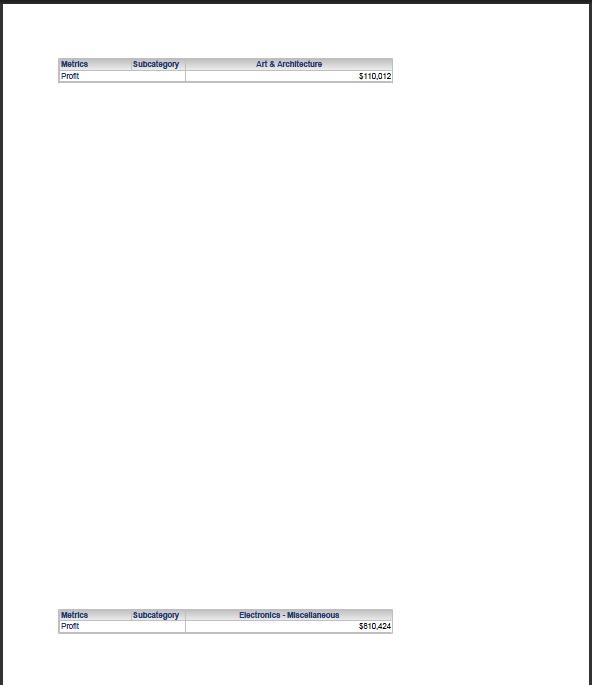
  • Execute the Document and export the results to PDF.  Notice how the first page shows one element of Books and one from Electronics:
     
ka04W000000OgybQAC_0EM44000000281D.jpeg

 
However the second page shows one from Books and one from Electronics, the third shows one from Books (only two selections were made from Electronics in the filter), the fourth page shows the fourth book and the fifth page shows last Books element.
 
The sixth page displays the one Movie element filtered on and then the 7th, 8th, 9th and 10th pages are blank. The 11th and 12th pages show the Music selections, and then from 13th till page 20 the pages are blank. The blank pages should not be present.
CAUSE:
This is a known issue in Strategy Web 9.x.
 
ACTION:
Contact Strategy Technical Support for an update regarding this issue.


Comment

0 comments

Details

Knowledge Article

Published:

June 7, 2017

Last Updated:

June 7, 2017