SYMTPOM
When users work with two documents from different projects simultaneously using multiple browser tabs, they might encounter the following error:
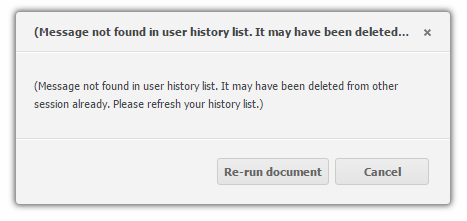
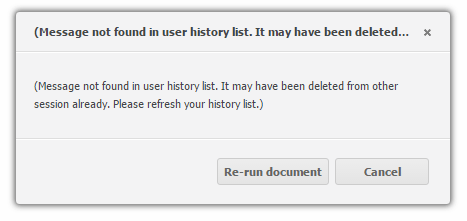
(Message not found in user history list. It may have been deleted from other session already. Please refresh your history list.)
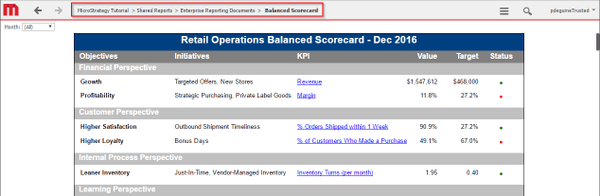
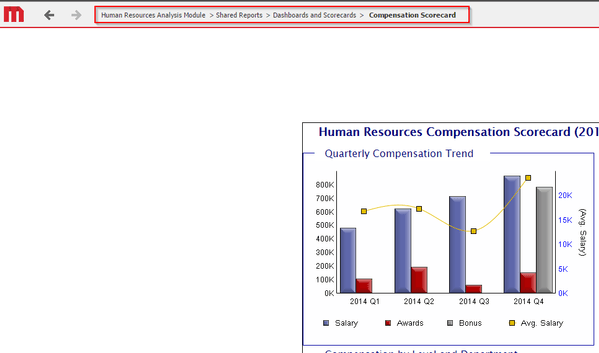
2. Open a second tab and run a document in a different project, e.g. Human Resources Analysis Module > Shared Reports > Dashboards and Scorecards > Attrition Scorecard:
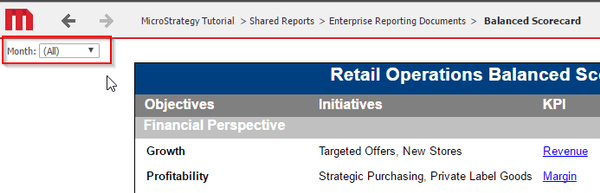
3. Switch back to the first tab and make a change to the grouping selector:
4. Note the error message showing:
CAUSE
Multiple sessions to different projects using multiple tabs is not supported. This error message is expected since the active project session is for the second project at the time the grouping selector is changed. In that project session, the mesage ID of the document in the first project does not exist.
ACTION
Multiple sessions to different projects using multiple browser tabs is supported starting with Strategy Web 10.4. Refer to KB310791: Multi-tab Browsing is now supported in MicroStrategy Web 10.4. for further information.
For environments configured for Single Sign On, Strategy Web must be at least on version 10.7 or 10.4 Hotfix 3 in order to support multiple sessions to different projects using multiple browser tabs. On that version, support of this functionality must be enabled as described in KB327378 - New in MicroStrategy Web 10.7 and 10.4 Hotfix 3: Support for multiple projects sessions with Single Sign On using MicroStrategy Web.
