SYMPTOM
When a user clicks on a bar graph in order to link drill to a target report while passing the currently selected attribute element, nothing happens.
STEPS TO REPRODUCE
1. In Strategy Tutorial create a report with Category and Cost

2. Create a document using the report as dataset. Drag and drop the dataset onto document
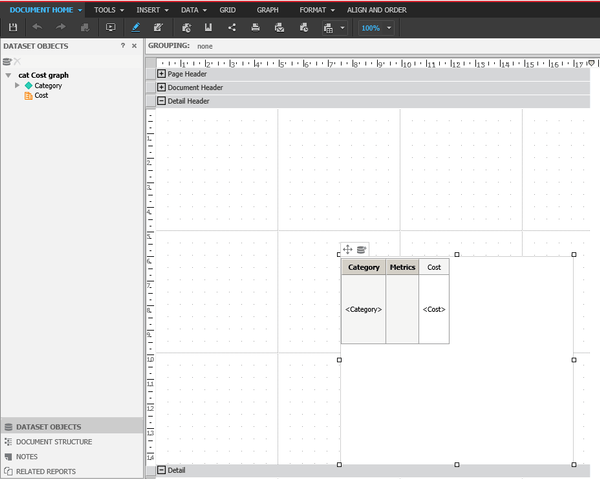
3. Define a link using edit links on attribute Category with the same report as target

4. Change grid to graph view mode
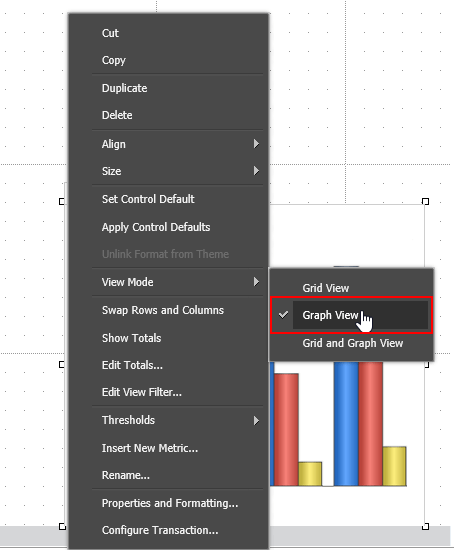
5. Execute in presentation mode. Right click on a bar in the graph (right-click on the center of the bar) and select Links > hyperlink1 and nothing happens.

Note: The occurence of this issue depends on various factors such as the browser window size, the screen ratio and resolution as well as the browser zoom level.
CAUSE
This is a known issue with Strategy 10.4
ACTION
This issue has been addressed with Strategy Web 10.7 and 10.4 HF3. Upgrade to take advantage of the fix.
