EducationSoftwareStrategy.com
StrategyCommunity

Knowledge Base

Product

Community

Knowledge Base

TopicsBrowse ArticlesDeveloper Zone

Product

Download SoftwareProduct DocumentationSecurity Hub

Education

Tutorial VideosSolution GalleryEducation courses

Community

GuidelinesGrandmastersEvents
x_social-icon_white.svglinkedin_social-icon_white.svg
Strategy logoCommunity

© Strategy Inc. All Rights Reserved.

LegalTerms of UsePrivacy Policy
  1. Home
  2. Topics

KB32810: How to display the dynamic date range for a report in MicroStrategy Developer 9.x and 10.x


Stefan Zepeda

Salesforce Solutions Architect • Strategy


When users are executing reports that contain a dynamic filter in it, they would like to know the date range filter details in order to compare the data they are getting in MicroStrategy Developer 9.x and 10.x

When users are executing reports that contain a dynamic filter in it, they would like to know the date range filter details in order to compare the data they are getting in Strategy Developer 9.x and 10.x.
Execute the following example in Strategy Tutorial project:
 

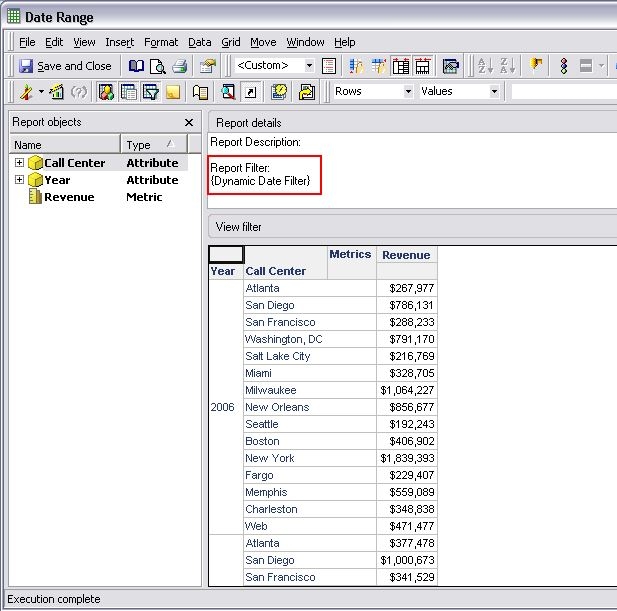
  • Create a simple report in that includes the attributes Year and Call Center, and the metric Revenue.
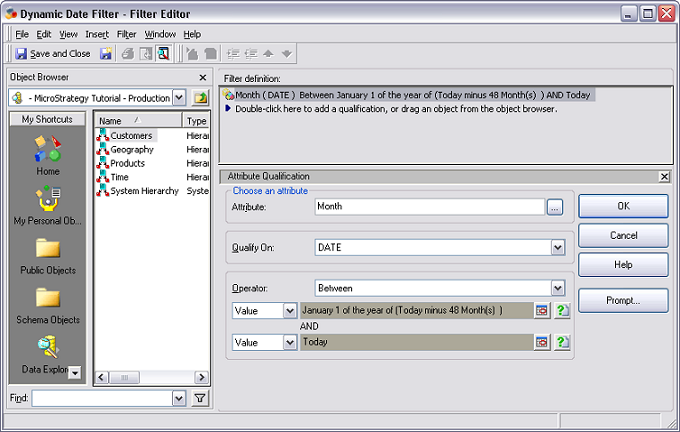
  • Create a new filter with the following definition:
    • Attribute: Month
    • Qualify On: DATE
    • Operator: Between
       
ka02R000000kWMCQA2_0EM440000002V8M.jpeg
  • Add the filter to the report. 
  • Execute the report and notice how users are unable to see the date range filter for this report:
ka02R000000kWMCQA2_0EM440000002bi5.jpeg
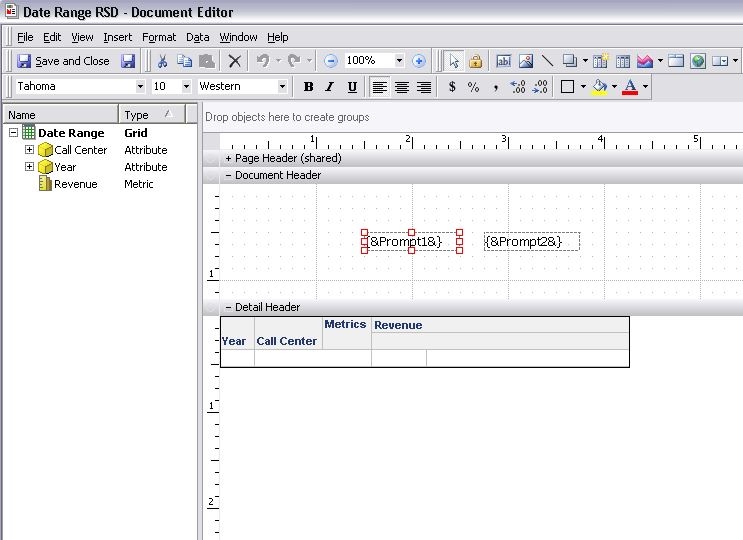
  • Add the report as a dataset to a new Report Services Document . 
  • Add the following Autotext: {&Prompt1&} and {&Prompt2&} as show below:
ka02R000000kWMCQA2_0EM440000002biF.jpeg
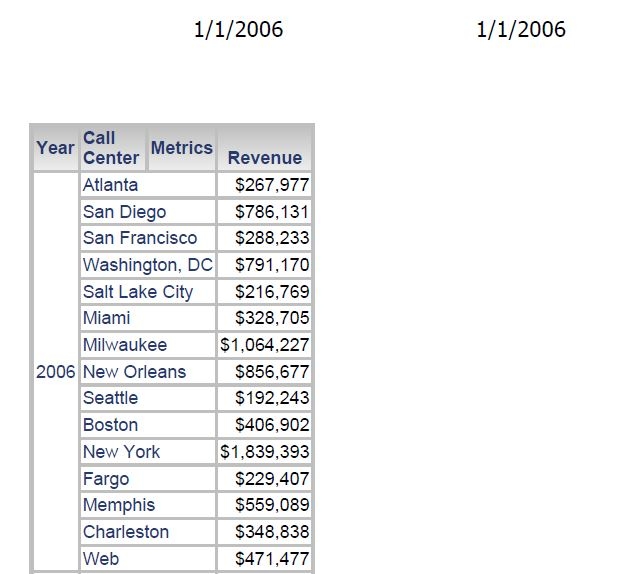
  • The two prompt AutoText values will correspond with the two Dynamic Dates that were used in the original report and be shown now in the Document Header when executing. 
ka02R000000kWMCQA2_0EM440000002biK.jpeg


Comment

0 comments

Details

Knowledge Article

Published:

July 17, 2017

Last Updated:

July 17, 2017