EducationSoftwareStrategy.com
StrategyCommunity

Knowledge Base

Product

Community

Knowledge Base

TopicsBrowse ArticlesDeveloper Zone

Product

Download SoftwareProduct DocumentationSecurity Hub

Education

Tutorial VideosSolution GalleryEducation courses

Community

GuidelinesGrandmastersEvents
x_social-icon_white.svglinkedin_social-icon_white.svg
Strategy logoCommunity

© Strategy Inc. All Rights Reserved.

LegalTerms of UsePrivacy Policy
  1. Home
  2. Topics

KB32838: How to create a dynamic date filter based off a prompt answer instead of "Today's" date in MicroStrategy Developer 10.x


Stefan Zepeda

Salesforce Solutions Architect • Strategy


In MicroStrategy Developer 10.x, it is not possible to specify a date when defining a dynamic date filter. Dynamic dates are calculated in relation to "Today's" date. This tech note provides instructions on how to get the dynamic date behavior to apply to prompted dates.

In Strategy Developer 10.x, it is not possible to specify a date when defining a dynamic date filter. Dynamic dates are calculated in relation to "Today's" date. This tech note provides instructions on how to get the dynamic date behavior to apply to prompted dates.
 
Example:
 
The following procedure describes how to create a dynamic date filter based off of a prompt answer. The example given will allow you to select a date, and the report will bring back all dates between the date selected and 1 month before.
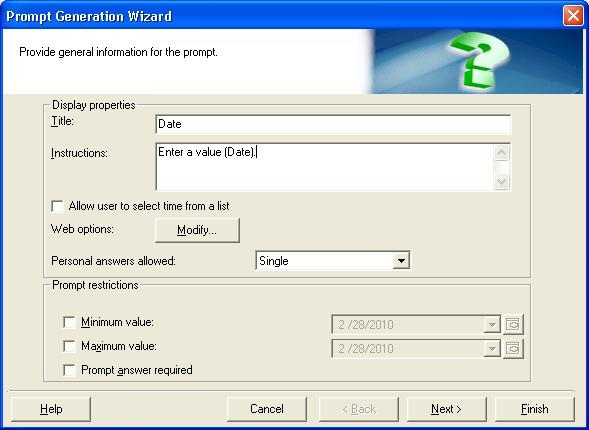
 

  • Create a date prompt to accept the date.
     
ka02R000000kchzQAA_0EM440000002E6V.jpeg
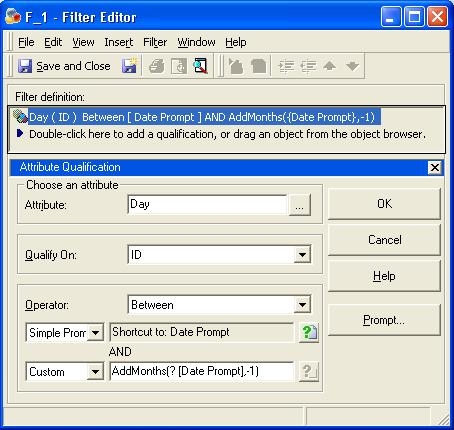
  • Create a filter on the date attribute.
     
ka02R000000kchzQAA_0EM440000002E6e.jpeg
    • Qualify on ID
    • Operator changed to between
    • Simple prompt: ? (immediately click finish and drag prompt onto filter. it should display 'Shortcut to: Date Prompt)
    • Custom: AddMonths(?, -1)
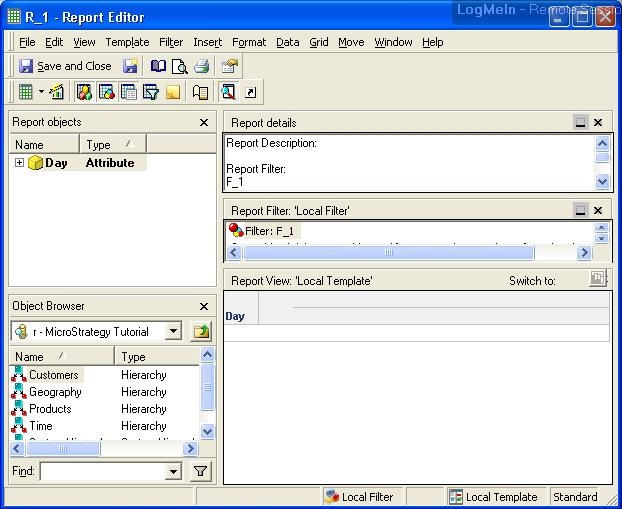
  • Add the filter to a report to get dynamic date functionality.
     
ka02R000000kchzQAA_0EM440000002E6Y.jpeg
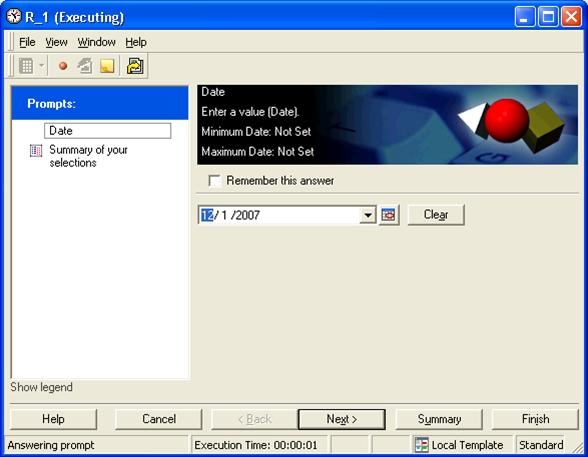
  • Run report and select a date
     
ka02R000000kchzQAA_0EM440000002E6a.jpeg
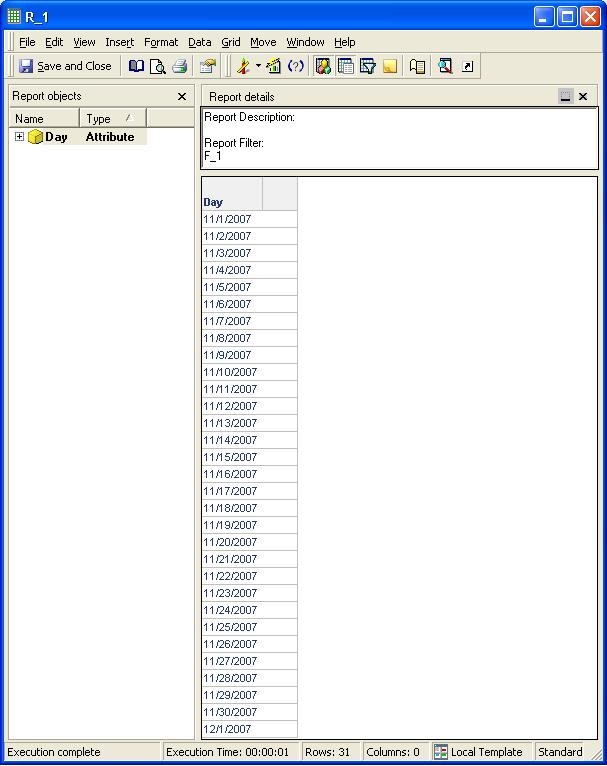
  • The results should will only return dates between the date selected and 1 month before.
     
ka02R000000kchzQAA_0EM440000002E6j.jpeg

Comment

0 comments

Details

Knowledge Article

Published:

April 3, 2017

Last Updated:

April 3, 2017