What is Project Builder in Strategy 9.x and 10.x?
Project Builder is a Strategy interface designed to create simple Strategy projects quickly. These projects can be used to rapidly build prototypes for proof-of-concept tests. It is located under Windows Start menu -> Strategy -> Developer.
The interface of Strategy Project Builders is shown below:
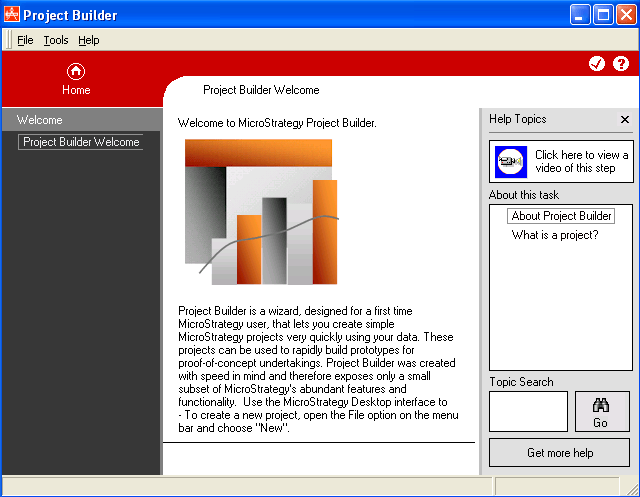
Project Builder was created with speed in mind, so it provides only a small subset of the abundant features and functionality of Strategy Developer.
The following features are not available in Strategy Project Builder and can only be used from the regular Developer interface in Strategy 9.x and 10.x:
Data modeling features:
Note: Compound or advanced metrics can be defined in both Project Builder and Desktop.
Some of the other features:
For a complete and up-to-date list of the products and features of the Strategy platform, visit the Strategy website at http://www.microstrategy.com
