SYMPTOM:
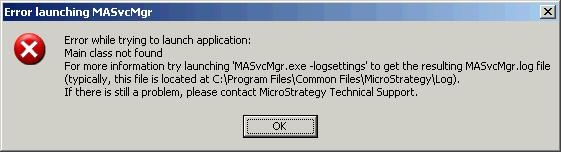
When launching Service Manager in a non-English Windows version, the following error appears:
Sample Code/Error
Error launching MASvcMgr
---------------------------

Error while trying to launch application:

Main class not found

For more information try launching `MASvcMgr.exe -logsettings` to get the resulting MASvcMgr.log file

(typically, this file is located at C:\Program Files\Common Files\MicroStrategy\Log).

If there is still a problem, please contact Strategy Technical Support.
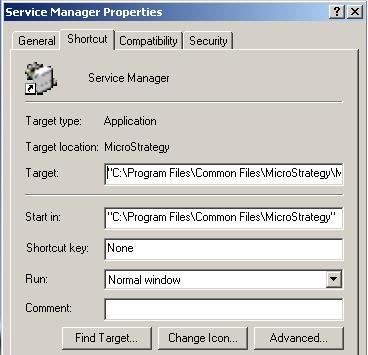
In certain non-English versions of Windows, this path is translated. For example, the Danish version of Windows will display 'C:\Programmer\Fælles filer\MicroStrategy\' for the path which is not be recognized by system.
ACTION:
In the target filed in Service Manager Properties, change the path manually to point to the correct location
Third Party Software Installation:
WARNING:
The third-party product(s) discussed in this technical note is manufactured by vendors independent of Strategy. Strategy makes no warranty, express, implied or otherwise, regarding this product, including its performance or reliability.
