SYMPTOM:
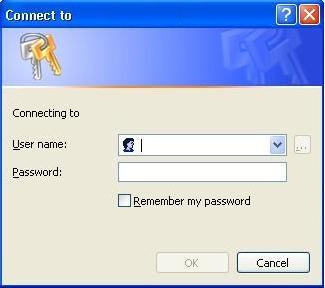
When trying to access Strategy Web 9.4.1 and 10.x, users are prompted for credentials to connect to a web server configured to use anonymous access. The prompt window in a Internet Explorer browser is shown below:
CAUSE:
One possible cause for this prompt to appear is that the login account on the machine hosting the Strategy Web server is not configured correctly.
ACTION:
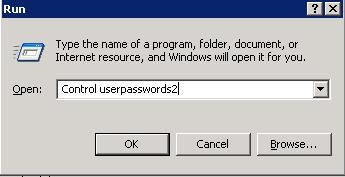
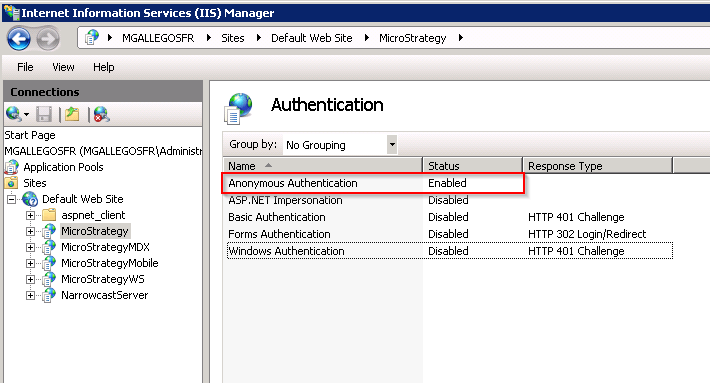
In order to configure the server correctly, users need to create an anonymous account on IIS as indicated on the steps below:
WARNING:
The third-party product(s) discussed in this technical note is manufactured by vendors independent of Strategy. Strategy makes no warranty, express, implied or otherwise, regarding this product, including its performance or reliability.
