EducationSoftwareStrategy.com
StrategyCommunity

Knowledge Base

Product

Community

Knowledge Base

TopicsBrowse ArticlesDeveloper Zone

Product

Download SoftwareProduct DocumentationSecurity Hub

Education

Tutorial VideosSolution GalleryEducation courses

Community

GuidelinesGrandmastersEvents
x_social-icon_white.svglinkedin_social-icon_white.svg
Strategy logoCommunity

© Strategy Inc. All Rights Reserved.

LegalTerms of UsePrivacy Policy
  1. Home
  2. Topics

KB33137: When choosing to display the "page-by axis" section it will still be hidden if there are no attributes in the page by section in MicroStrategy Web 9.4.1 & 10.x


Community Admin

• Strategy


SYMPTOM:
A user that has the option to display the 'page by axis' might find inconsistent the fact that this section will be dynamically hidden if there are no attributes in the report's page by section.
 
STEPS TO REPRODUCE:
  • Open any simple report  create a new one in Strategy Tutorial project (any attribute and metric)
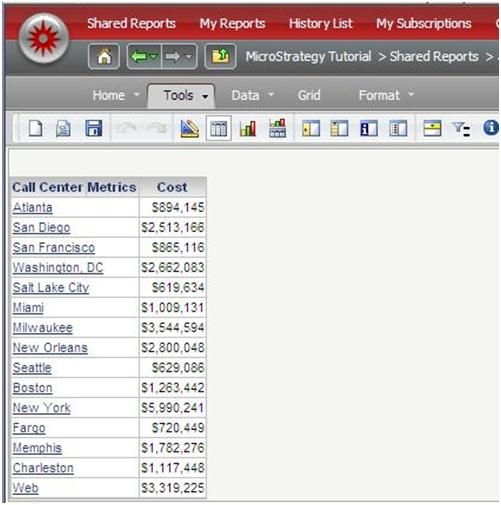
  • Notice initially that the report shows up with only the report bar enabled by default.
ka04W000000Oe9iQAC_0EM44000000281f.jpeg
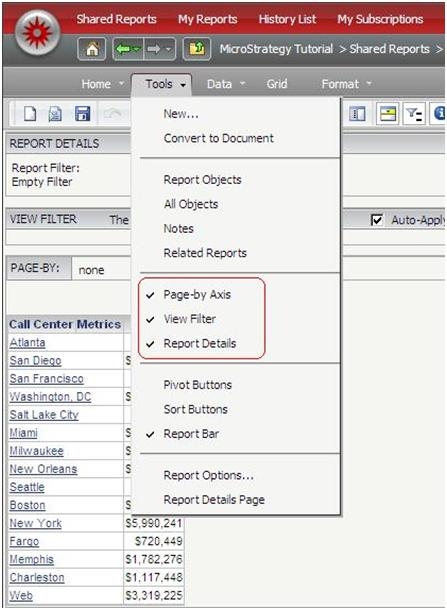
  • Go to the Tools menu, and enable the View filter, Report Details and Page by Axis sections.
ka04W000000Oe9iQAC_0EM44000000281i.jpeg
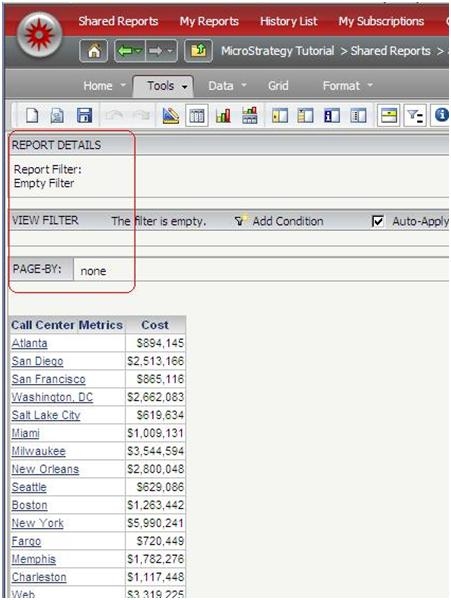
  • Notice how all the sections will now display on top of the report.
ka04W000000Oe9iQAC_0EM44000000281d.jpeg
  • Click on any other link to go to another section of web such as history list or shared reports and then return to the initial report.
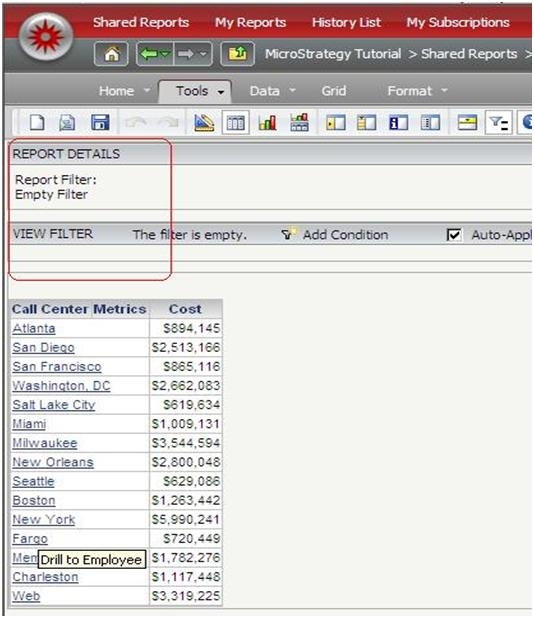
  • When the report is executed again, notice that all the sections enabled previously from the Tools menu are still there except for the Page by Axis.
ka04W000000Oe9iQAC_0EM44000000281c.jpeg
  • The same behavior can be seen if you try to add only the `Page by Axis` only.
  • The issue does not happen if there is actually an attribute in the page by section.

 
CAUSE:
Although this might be seen as inconsistent behavior comparing the 'page by' section with the other sections, this is not an issue. The behavior is by design. If there are no attributes in the page by section, the section will automatically be hidden to allow for better distribution of the rest of the objects in the menu bars.


Comment

0 comments

Details

Knowledge Article

Published:

June 13, 2017

Last Updated:

June 13, 2017