EducationSoftwareStrategy.com
StrategyCommunity

Knowledge Base

Product

Community

Knowledge Base

TopicsBrowse ArticlesDeveloper Zone

Product

Download SoftwareProduct DocumentationSecurity Hub

Education

Tutorial VideosSolution GalleryEducation courses

Community

GuidelinesGrandmastersEvents
x_social-icon_white.svglinkedin_social-icon_white.svg
Strategy logoCommunity

© Strategy Inc. All Rights Reserved.

LegalTerms of UsePrivacy Policy
  1. Home
  2. Topics

KB33191: Images inserted into an attribute element of a grid report are displayed smaller after exporting to Excel with formatting with MicroStrategy Web


Community Admin

• Strategy


This KB article discusses a known issue that affects exporting to Excel due to a limitation of Microsoft Office. A workaround is offered

SYMPTOM:
Images displayed in a report grid by defining them as elements of an attribute with form type "Picture" become smaller once exported to Microsoft Excel using Strategy Web.
 
STEPS TO REPRODUCE:

  • Create an attribute which has a Picture form type. Refer to following the following Technical Note for detailed steps: 
    KB14226: How to display a .JPG or .GIF image as an attribute element in a report in MicroStrategy Web 9.x
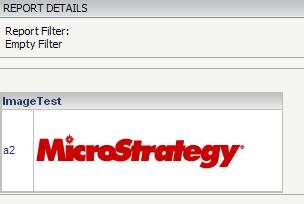
  • Create a report with the attribute and execute in Web. The image displays fine:
     
ka04W000001483UQAQ_0EM44000000281A.jpeg
  • Export the report to MS Excel. Notice that the image size is smaller.
     
ka04W000001483UQAQ_0EM440000002816.jpeg

 
CAUSE:
This is a known issue due to a limitation of Microsoft Office.  This issue can be seen with the images added as thresholds as well.
 
ACTION:
Strategy will continue to investigate and post updates as soon as they are available.
 
WORKAROUND:

  • Specify the column width and height to make sure that the image can fit to the column.
     
ka04W000001483UQAQ_0EM440000002814.jpeg
  • Export to MS Excel and notice that the image size is changed.  
     
ka04W000001483UQAQ_0EM440000002818.jpeg
ka04W000001483UQAQ_0EM440000002TdX.jpeg

Comment

0 comments

Details

Knowledge Article

Published:

July 3, 2017

Last Updated:

June 14, 2022