After inputting a large amount of text into the message body when subscribing or doing a Send Now of a report in Strategy Web, text can no longer be entered:
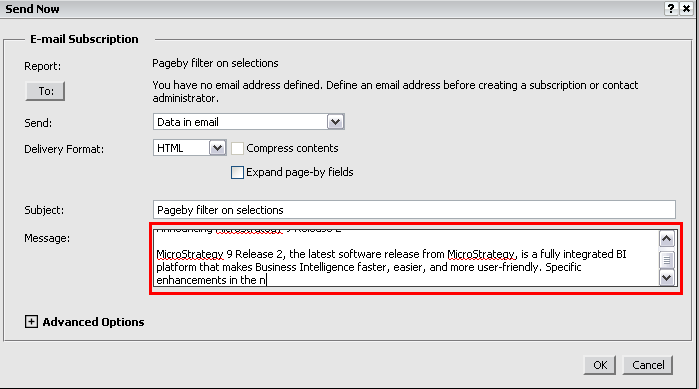
This occurs because by default, there is a 250 character limit on the message body when subscribing to an email.
To change this limit using an SDK customization, see the following Technical Note:
KB41932: How to Increase the Character Limit of the Message Text Box for Subscriptions with MicroStrategy Web SDK 9.x.
