EducationSoftwareStrategy.com
StrategyCommunity

Knowledge Base

Product

Community

Knowledge Base

TopicsBrowse ArticlesDeveloper Zone

Product

Download SoftwareProduct DocumentationSecurity Hub

Education

Tutorial VideosSolution GalleryEducation courses

Community

GuidelinesGrandmastersEvents
x_social-icon_white.svglinkedin_social-icon_white.svg
Strategy logoCommunity

© Strategy Inc. All Rights Reserved.

LegalTerms of UsePrivacy Policy
  1. Home
  2. Topics

KB33492: The ‘Create’ and ‘Edit’ buttons are grayed out in MicroStrategy Office.


Community Admin

• Strategy


SYMPTOM:
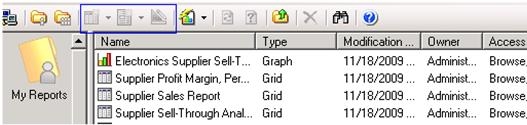
When selecting a report in Strategy Office, the ‘Create’ and ‘Edit’ buttons are grayed out, as shown in the image below:
ka04W000000OckHQAS_0EM4400000027y7.jpeg


CAUSE:
The required privileges are not granted to the Strategy Office user.
 
ACTION:
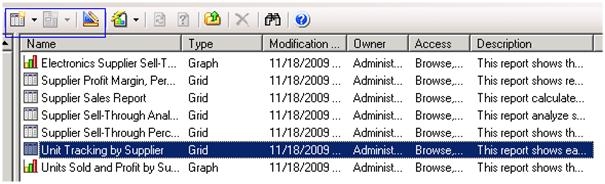
Grant user "Web user design mode" and "Web create new report" privileges and the buttons will be enabled as shown in the image below: 
 

ka04W000000OckHQAS_0EM4400000027y5.jpeg


Comment

0 comments

Details

Knowledge Article

Published:

July 11, 2017

Last Updated:

July 11, 2017