SYMPTOM:
When installing Strategy Web 9.x and 10.x in a Windows Server 2008 environment, users will see the following messages for various Web components.

MISSING Feature: Internet Information Services\World Wide Web Services\Security\Windows Authentication

MISSING Feature: Internet Information Services\World Wide Web Services\Application Development Features\ASP

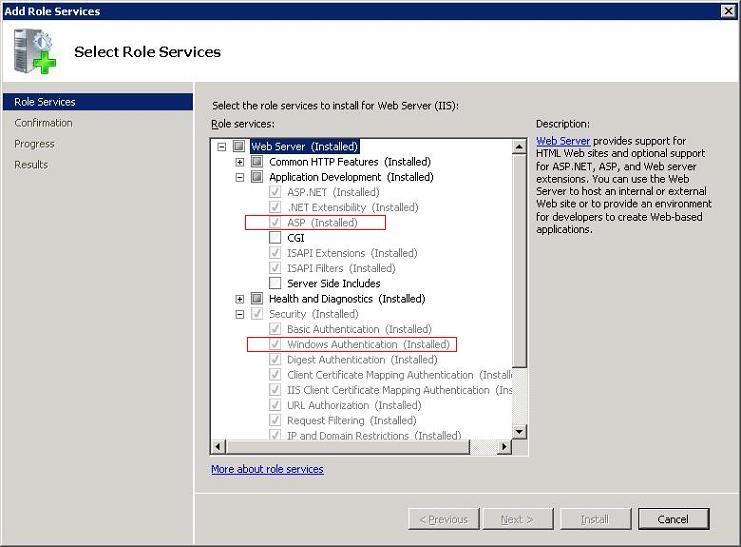
3. Browse to the following categories to enable Windows Authentication and ASP.
- Under Application Development, make sure that "ASP" is selected.
- Under Security, make sure that "Windows Authentication" is selected.
- After enabling these features, it may take a minute or two to install and configure these options.
4. After the features have been installed and configured, restart the installation of Strategy Web 9.x or 10.x and the 'MISSING Feature' error messages will be resolved.
