As of Strategy 9.0.1 we distinguish two different types of selectors in Report Services Documents, filtering selectors and slicing selectors.
Filtering selectors are new in 9.0.1 and filter the data they target. New selectors created in 9.0.1 are defined as filtering selectors by default (i.e they have the option to 'apply selection as a filter' set to true by default).

Slicing and filtering selectors differ in the way they affect the target, and also in the behavior of selectors which are unset. A selector is considered unset the first time they are run in document or when the document has been saved without default selections.
Slicing selectors will default to the first available element while filtering selectors will default to no filtering (i.e show all elements).
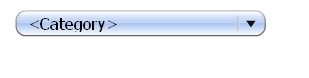
Filtering selectors default to no filtering and the way this is represented in Strategy is by displaying the attribute name as the default selection.