When using Intelligent cubes, there is an option available to support connection mapping with the use of cubes.
If Intelligent Cubes are not set to support connection mapping in a project, users may be able to access data they are not intended to have access to.
When an Intelligent Cube that supports connection mapping is published, it uses the connection mapping of the user account which published the Intelligent Cube. Only users that have this connection mapping can create and view reports that access this Intelligent Cube. This maintains the data access security and control defined by your connection mappings. If an Intelligent Cube needs to be available for multiple connection mappings, a separate version of the Intelligent Cube must be published for each of the required connection mappings.
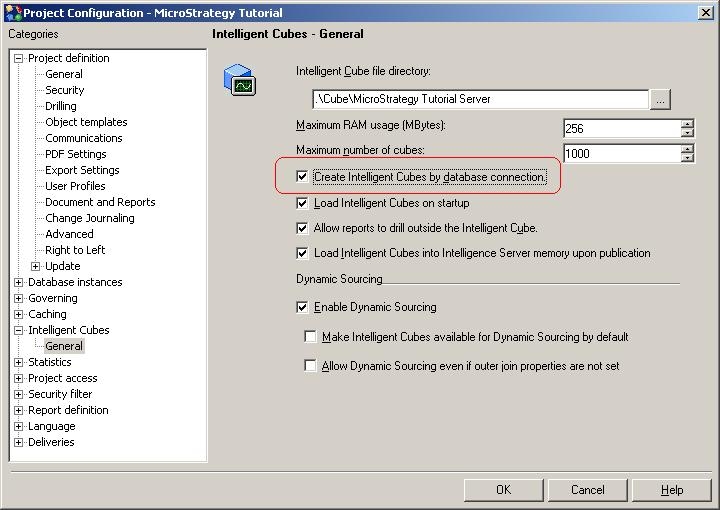
To enable this feature, the administrator user must go to the following location in Strategy Developer:
Project configuration > Intelligent cubes > General and check/select the "Create Intelligent Cubes by database connection" setting, as shown below: