SYMPTOM:
Often it is desired to use the Windows Performance Monitor to log performance counters regarding the Strategy Intelligence Server 9.x activity so that it can be viewed along side system counters. The following technical notes have more information on logging performance counters in Windows:
When setting up the Strategy Server Jobs or Strategy Server Users performance counters to log to a file, the counter log file does not contain any information for these counters. The following warning may be seen in the Application log of the Windows Event Viewer:
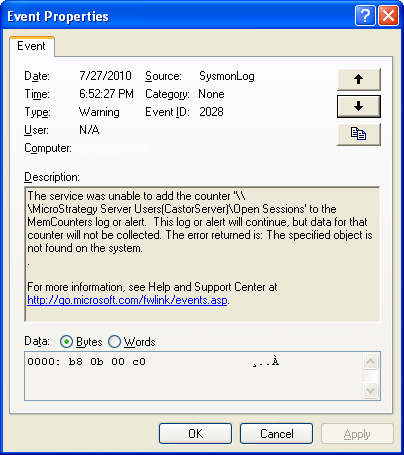
Sample Code/Error
The service was unable to add the counter '\\<MACHINENAME>\Strategy Server Users(CastorServer)\Open Sessions' to the <LOGNAME> log or alert. This log or alert will continue, but data for that counter will not be collected. The error returned is: The specified object is not found on the system.
CAUSE:
This is a known issue with Strategy Server 9.x performance counters.
ACTION:
Strategy will continue to investigate and post updates as soon as they are available.
WORKAROUND:
Log the Strategy Server Jobs and Strategy Server Users performance counters using the Strategy Diagnostics Configuration tool:
KB13313: How to enable logging of performance counters using the Diagnostics and Performance Logging tool for MicroStrategy Intelligence Server 9.x in Microsoft Windows and Unix
