EducationSoftwareStrategy.com
StrategyCommunity

Knowledge Base

Product

Community

Knowledge Base

TopicsBrowse ArticlesDeveloper Zone

Product

Download SoftwareProduct DocumentationSecurity Hub

Education

Tutorial VideosSolution GalleryEducation courses

Community

GuidelinesGrandmastersEvents
x_social-icon_white.svglinkedin_social-icon_white.svg
Strategy logoCommunity

© Strategy Inc. All Rights Reserved.

LegalTerms of UsePrivacy Policy
  1. Home
  2. Topics

KB33955: "You don't have enough privileges to use this functionality" error message appears when attempting to upgrade MicroStrategy metadata


Community Admin

• Strategy


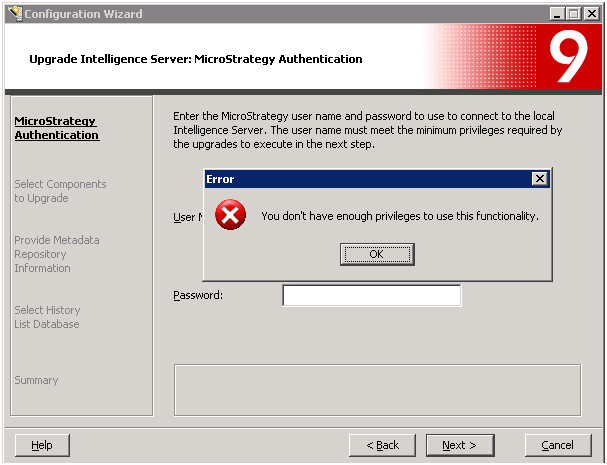
This article outlines why the error 'You don't have enough privileges to use this functionality' is returned when attempting to update the MicroStrategy metadata using the Configuration Wizard.

SYMPTOM:
When attempting to upgrade a Strategy metadata to version 9.0.1 through Strategy Configuration Wizard, user receives the following error.
ka04W000000Oc4KQAS_0EM440000002HSA.png

 
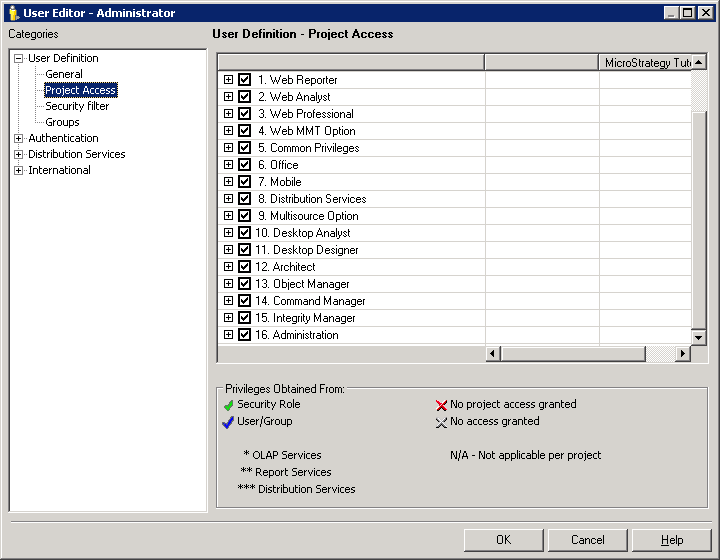
The same error occurs when the user specified has been granted with all privileges.
ka04W000000Oc4KQAS_0EM440000002HSG.png


CAUSE:
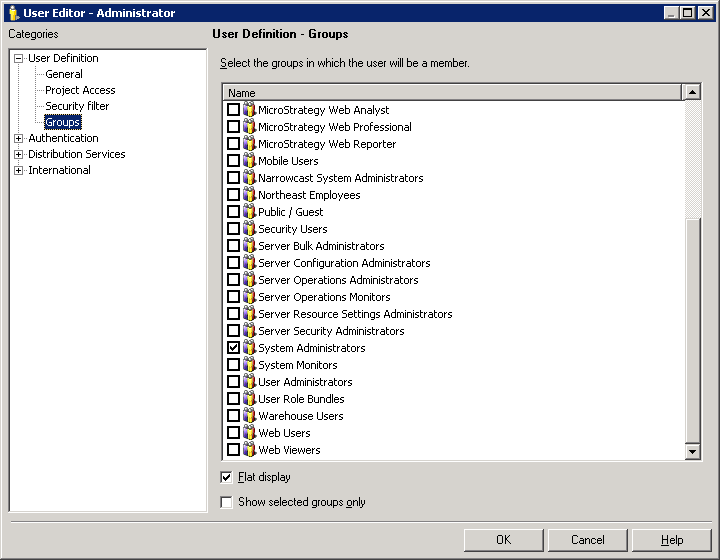
This error occurs because the user who is attempting to access the Intelligence Server does not have sufficient privileges to perform the upgrade.  In order to upgrade the Intelligence Server Component, the user specified must be in the System Administrators group.   Note that the default Administrator user already belongs to the System Administrators group.
 
ACTION:
In Strategy Desktop, add the user to the System Administrators group. 
ka04W000000Oc4KQAS_0EM440000002HSF.png


Comment

0 comments

Details

Knowledge Article

Published:

May 29, 2017

Last Updated:

May 29, 2017