EducationSoftwareStrategy.com
StrategyCommunity

Knowledge Base

Product

Community

Knowledge Base

TopicsBrowse ArticlesDeveloper Zone

Product

Download SoftwareProduct DocumentationSecurity Hub

Education

Tutorial VideosSolution GalleryEducation courses

Community

GuidelinesGrandmastersEvents
x_social-icon_white.svglinkedin_social-icon_white.svg
Strategy logoCommunity

© Strategy Inc. All Rights Reserved.

LegalTerms of UsePrivacy Policy
  1. Home
  2. Topics

KB33969: How to remove the title of Autotext prompt details from a Report Services document in MicroStrategy Developer 9.x?


Stefan Zepeda

Salesforce Solutions Architect • Strategy


How to remove the title of Autotext prompt details from a Report Services document in MicroStrategy Developer 9.x?

 Before the Autotext title is removed:
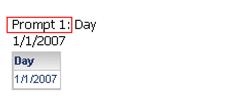
ka044000000kUP1AAM_0EM440000002E0U.jpeg

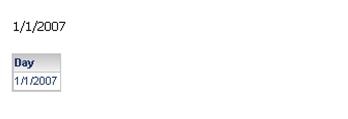
 After the Autotext title is removed:

ka044000000kUP1AAM_0EM440000002E0S.jpeg

There are two ways to remove the title of prompt details, one on document level, and one on project level. Follow the steps below to remove the Autotext prompt details from a Report Services document in Strategy Developer 9.x:
 
 Document level:
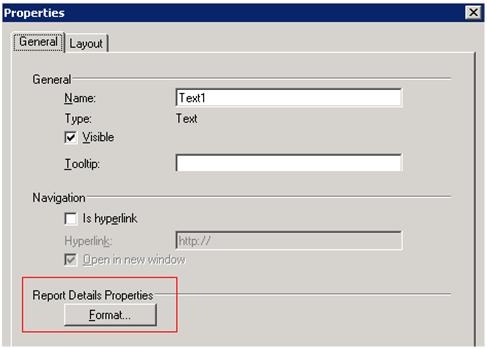


  1. In the Report Services document, right click on the Autotext prompt details and select ‘Properties’.
  2. In the general tab, click Format under Report Details Properties, as shown below: 
ka044000000kUP1AAM_0EM440000002E0Q.jpeg


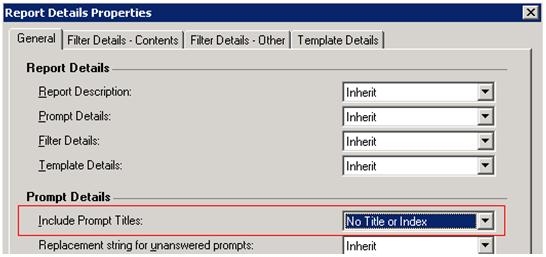
  • In the ‘General’ tab of the pop up dialog, select ‘No title or Index’ for ‘Include prompt Titles’, as shown below:
ka044000000kUP1AAM_0EM440000002E0W.jpeg

 
Project level:
 

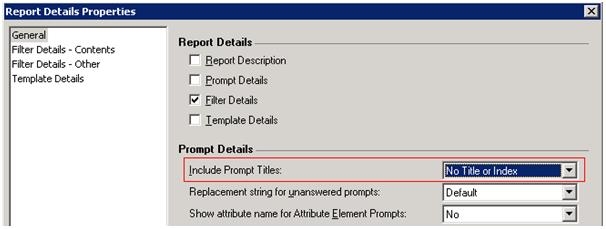
  • Go to Project Configuration>Project Definition>Document and Reports>Report Details properties>General.
  • Select ‘No title or Index’ for ‘Include Prompt titles’, as shown below:
     
ka044000000kUP1AAM_0EM440000002E0E.jpeg


33969


Comment

0 comments

Details

Knowledge Article

Published:

April 10, 2017

Last Updated:

March 31, 2019