EducationSoftwareStrategy.com
StrategyCommunity

Knowledge Base

Product

Community

Knowledge Base

TopicsBrowse ArticlesDeveloper Zone

Product

Download SoftwareProduct DocumentationSecurity Hub

Education

Tutorial VideosSolution GalleryEducation courses

Community

GuidelinesGrandmastersEvents
x_social-icon_white.svglinkedin_social-icon_white.svg
Strategy logoCommunity

© Strategy Inc. All Rights Reserved.

LegalTerms of UsePrivacy Policy
  1. Home
  2. Topics

KB34018: How to display a custom home screen on the iPhone or iPad using MicroStrategy Mobile 9.x or 10.x


Community Admin

• Strategy


This article explains how to create a mobile configuration with a custom home screen in MicroStrategy Mobile 9.x and 10.x.

In Strategy Mobile 9.x and 10.x, a Mobile administrator can customize the iPhone or iPad app home screen. This article explains the steps to configure a custom home screen for the Strategy Mobile app.
 
1. Go to Mobile Administrator page:
Mobile ASP: http://SERVERNAME/MicroStrategyMobile/asp/Admin.aspx
Mobile JSP: http://SERVERNAME:8080/MicroStrategyMobile/servlet/mstrWebAdmin
2. Select Mobile Configuration > Modify > Home Screen.
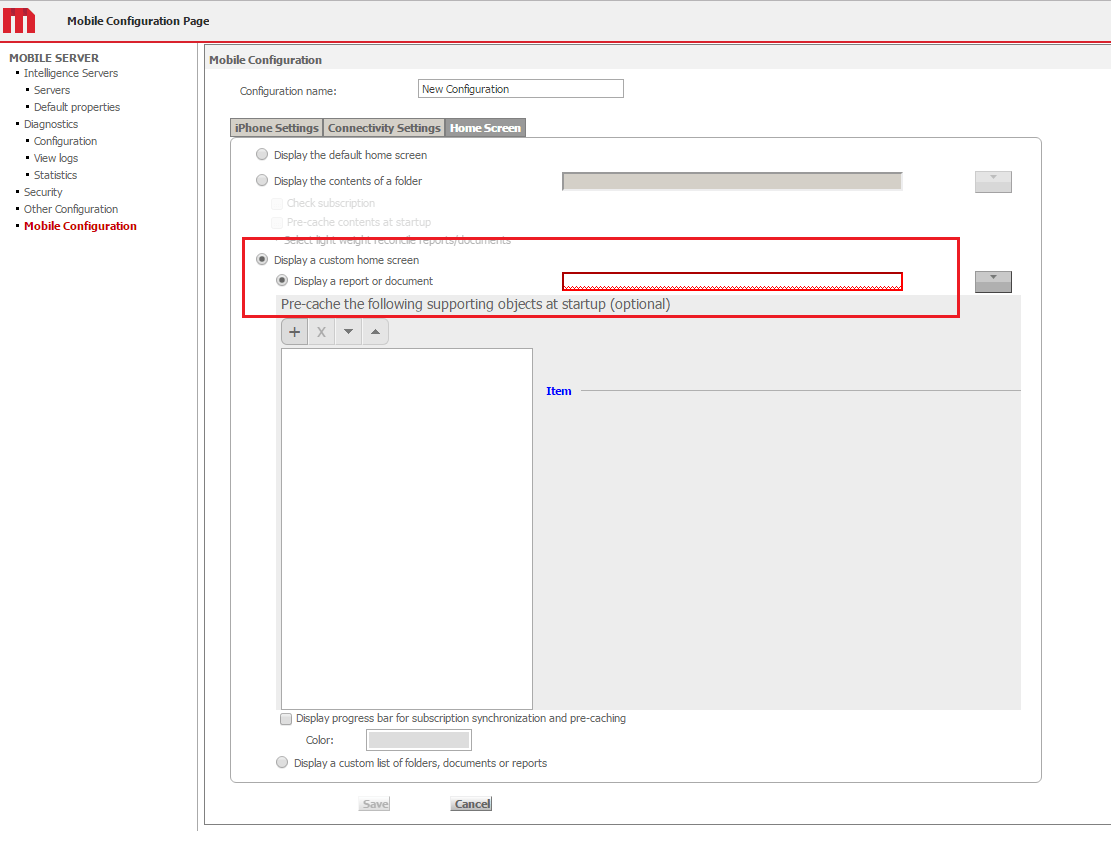
ka04W000000Ode4QAC_0EM440000002Ix2.png

 
3. Make any desired changes and save them.
 
4. Click on the Generate URL link:

ka04W000000Ode4QAC_0EM440000002Ix7.png
ka04W000000Ode4QAC_0EM440000002IxC.png

 
5. Copy the URL and send to iPhone/iPad via email or text message.
 
6. Open the URL on iPhone/iPad device and the configuration will be set.


Comment

0 comments

Details

Knowledge Article

Published:

April 10, 2017

Last Updated:

April 10, 2017