Apache Tomcat Server 5.5 and 6.0 doesn't log by defaul all HTTP requests received and served. In some occasions it is necessary to monitor the HTTP requests in which case it is necessary to enable the HTTP Access logs.
To enable access logging in Tomcat, perform the following steps:
1. Edit the server.xml under $TOMCAT_HOME/conf folder
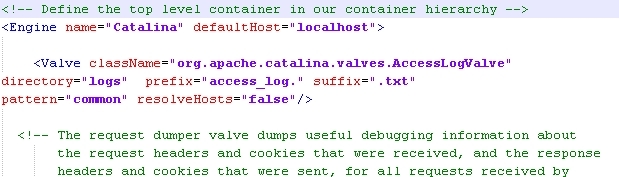
2. Add the following
<Valve className="org.apache.catalina.valves.AccessLogValve"
directory="logs" prefix="access_log." suffix=".txt"
pattern="common" resolveHosts="false"/>
after <Engine name="Catalina" defaultHost="localhost">
3. Re-start Tomcat for the changes to be applied.
The access log valve will generate a new log file under $TOMCAT_HOME/logs folder called access_log.txt
The following is an example of the information being logged:
...
127.0.0.1 - - "GET /MicroStrategy/style/mstr/mstr.css HTTP/1.1" 200 243719
127.0.0.1 - - "GET /MicroStrategy/javascript/mstr/core.js HTTP/1.1" 200 296282
127.0.0.1 - - "GET /MicroStrategy/javascript/DHTML.js HTTP/1.1" 200 115969
127.0.0.1 - - "GET /MicroStrategy/servlet/mstrWeb HTTP/1.1" 200 12693
127.0.0.1 - - "GET /MicroStrategy/javascript/IFRAME.js HTTP/1.1" 200 26488
127.0.0.1 - - "GET /MicroStrategy/javascript/Strategy.js HTTP/1.1" 200 148092
127.0.0.1 - - "GET /MicroStrategy/javascript/errors.js HTTP/1.1" 200 5316
127.0.0.1 - - "GET /MicroStrategy/javascript/bone.js HTTP/1.1" 200 11698
127.0.0.1 - - "GET /MicroStrategy/javascript/dialog.js HTTP/1.1" 200 26671
127.0.0.1 - - "GET /MicroStrategy/javascript/HTMLAttributes.js HTTP/1.1" 200 1309
127.0.0.1 - - "GET /MicroStrategy/javascript/editor.js HTTP/1.1" 200 36904
127.0.0.1 - - "GET /MicroStrategy/javascript/mstrEventManager.js HTTP/1.1" 200 11065
127.0.0.1 - - "GET /MicroStrategy/javascript/clientSideDescriptor.js HTTP/1.1" 200 1532
127.0.0.1 - - "GET /MicroStrategy/style/mstr/pageProjects.css HTTP/1.1" 200 498
...
The pattern="common" property in the valve will automatically log Remote host name, Remote logical username, Remote user that was authenticated, Date and time, First line of the request, HTTP status code, and Bytes sent.
The pattern can be changed to log additional information as per the list under:
Tomcat Documentation
To add logging information to the common shorthand, break down the common shorthand pattern codes and add additional codes as necessary:
pattern="%h %l %u %t %r %s %b Authorization:%{Authorization}i"
Example:
Java
<Valve
className="org.apache.catalina.valves.AccessLogValve" directory="logs" prefix="localhost_access_log."
suffix=".csv"
pattern="%a,%H,%A:%p,%t,%u,%s,%D/%l%T,%r,%b,%S,%{Referer}i,%{User-Agent}i" resolveHosts="false" />
Third Party Software Installation WARNING
The third-party product(s) discussed in this technical note is manufactured by vendors independent of Strategy. Strategy makes no warranty, express, implied or otherwise, regarding this product, including its performance or reliability.
