EducationSoftwareStrategy.com
StrategyCommunity

Knowledge Base

Product

Community

Knowledge Base

TopicsBrowse ArticlesDeveloper Zone

Product

Download SoftwareProduct DocumentationSecurity Hub

Education

Tutorial VideosSolution GalleryEducation courses

Community

GuidelinesGrandmastersEvents
x_social-icon_white.svglinkedin_social-icon_white.svg
Strategy logoCommunity

© Strategy Inc. All Rights Reserved.

LegalTerms of UsePrivacy Policy
  1. Home
  2. Topics

KB34365: New Tree display mode available for Microchart widget in MicroStrategy Web 9.x and up.


Community Admin

• Strategy


This technical note describes how to enable the "Tree display" mode for microchart widgets in MicroStrategy Web 9.x and up.

The new tree display mode for Microchart widget is useful to analyze the data when there are two or three attributes on the rows in addition to the time series attribute as shown below:

ka04W000000OhVuQAK_0EM4400000027tA.jpeg

 
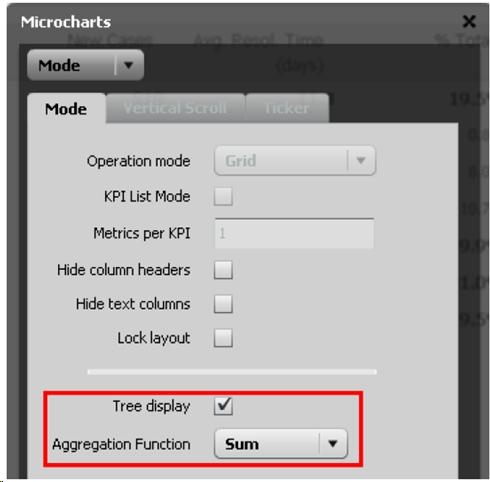
The "Tree display" property under the widget properties dialog must be checked, as shown below, in order to enable the tree display mode for the widget.
ka04W000000OhVuQAK_0EM4400000027tB.jpeg

 
The above check box is only available for the grid operation mode.


Comment

0 comments

Details

Knowledge Article

Published:

May 17, 2017

Last Updated:

May 17, 2017