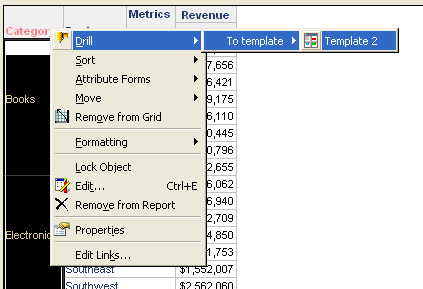
The following procedure describes how to create a drill map structure that will allow users to drill down from a drill-down report into a template in Strategy Developer 9.4.1 and 10.x.
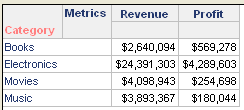
1. In the Strategy Tutorial project, create a report with attribute Category and metrics Revenue and Profit, using Strategy Developer 9.4.1 and 10.x, as shown in the screenshot below:
2. Create two different templates.

3. Create a drill map that associates the report created in step 1 with the templates created in step 2.
4. If users select to drill down to either template, for instance Template 1, they will not be able to drill to the other template (in this example Template 2) from the drill down report.
In order to get this functionality, it is necessary to create two additional drill maps, one for each template, as shown below:
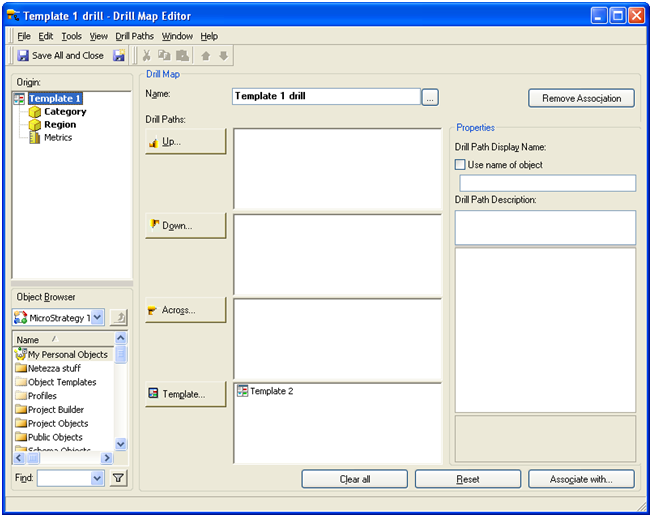
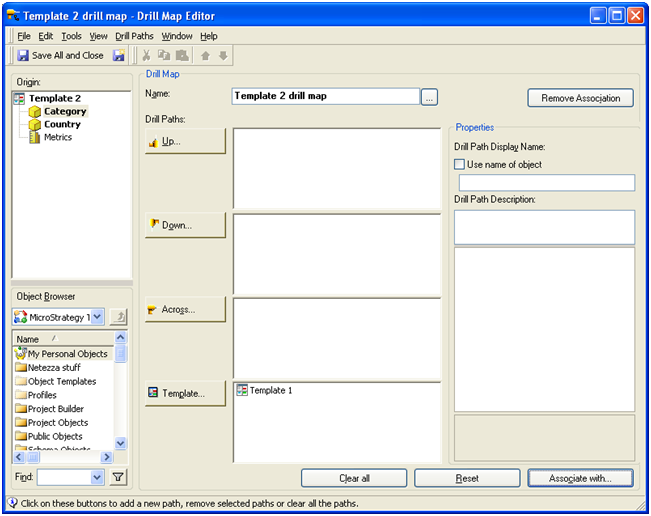
This way, after drilling down to the first template, it will still be possible to drill down to the second template as. The screenshot below shows the first drill down to Template 1:
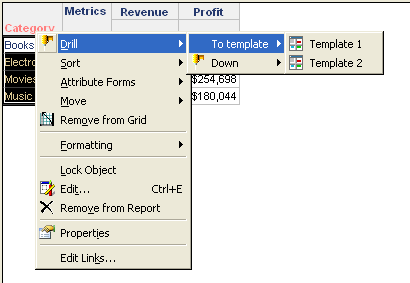
The screenshot below shows the drill options from the drill down report obtained above, it is now possible to drill from the first template to the second template: