EducationSoftwareStrategy.com
StrategyCommunity

Knowledge Base

Product

Community

Knowledge Base

TopicsBrowse ArticlesDeveloper Zone

Product

Download SoftwareProduct DocumentationSecurity Hub

Education

Tutorial VideosSolution GalleryEducation courses

Community

GuidelinesGrandmastersEvents
x_social-icon_white.svglinkedin_social-icon_white.svg
Strategy logoCommunity

© Strategy Inc. All Rights Reserved.

LegalTerms of UsePrivacy Policy
  1. Home
  2. Topics

KB34487: Emails in HTML tag forms are not recognized for reports run from an iPhone in MicroStrategy Mobile 9.4.x


Community Admin

• Strategy


This technical note article describes an identified defect in MicroStrategy Mobile 9.4.x regarding the usability of email addresses in attribute forms when using HTML tags to call out for the email client to generate an email. A workaround is provided.

SYMPTOM:
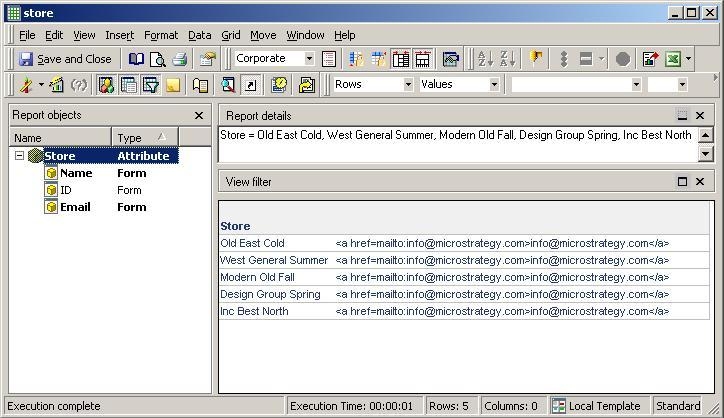
Users notice that email tags on a report run on the iPhone app and Strategy Mobile 9.2.x do not open up the email client when clicking on them, even though the iPhone typically recognizes email addresses on the browser.
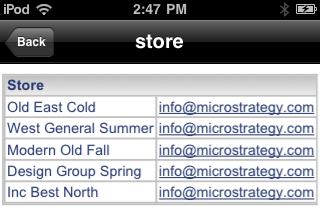
ka04W000000OfHDQA0_0EM440000002ASG.jpeg

 
STEPS TO REPRODUCE:
Follow these steps to create an email tag to reproduce the issue in a Strategy Tutorial project.
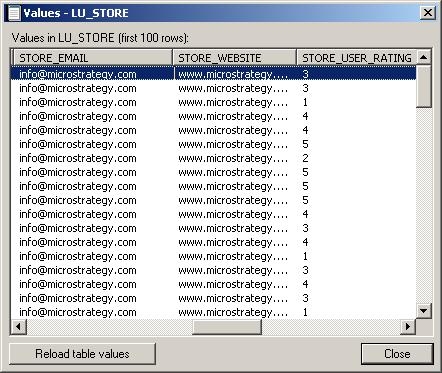
  • Create an attribute that contains email addresses directly in the Warehouse table.
ka04W000000OfHDQA0_0EM440000002ASI.jpeg
  •  
    Note: All email addresses in this example are the same, but an ApplySimple should pick the correct row.
  • Create an attribute form of type HTML tag with the following ApplySimple definition:


    ApplySimple("'<a href=mailto:'+#0+'>'+#0+'</a>'", [STORE_EMAIL])
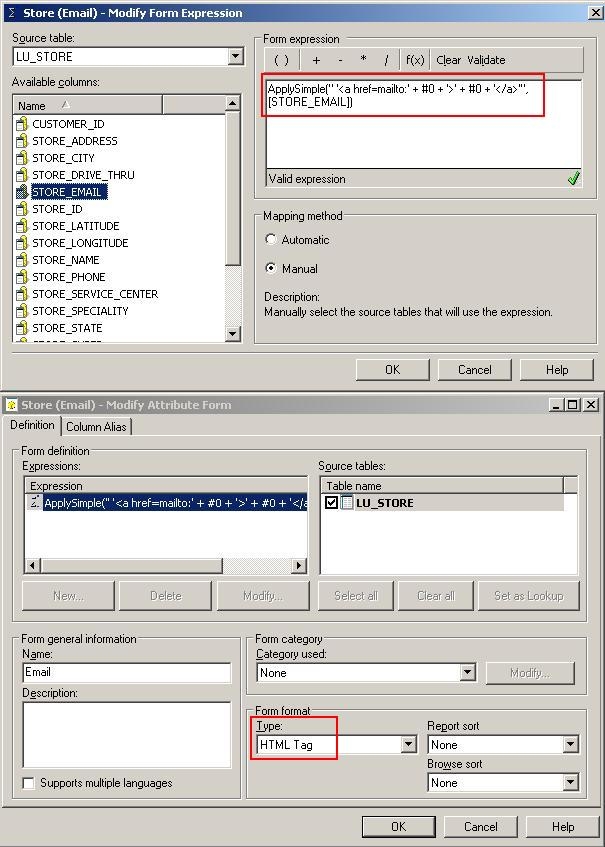


    Example below:
ka04W000000OfHDQA0_0EM440000002AS7.jpeg
  • Update the schema for the changes to take effect.
  • Create a report with this attribute.
ka04W000000OfHDQA0_0EM440000002ASB.jpeg
  • Execute this report from the iPhone and click on the email. The email client will not show up.

CAUSE:
This is an identified defect in Strategy Mobile 9.4.x when running reports on the iPhone.
 
ACTION:
This issue has been addressed in Strategy Mobile 10.4. Upgrade to this version to take advantage of this fix.
 
WORKAROUND:
While the email tags are not recognized on reports, they are recognized within Report Services Documents. Convert the report into a document.
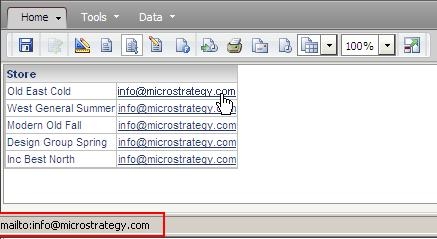
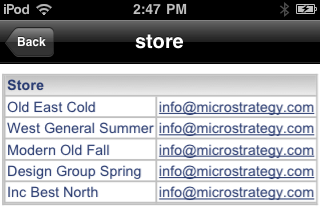
ka04W000000OfHDQA0_0EM440000002ASE.jpeg


ka04W000000OfHDQA0_0EM440000002KzO.jpeg

Now, when clicking on the email tag, the email client of the iPhone will show up, like shown below.
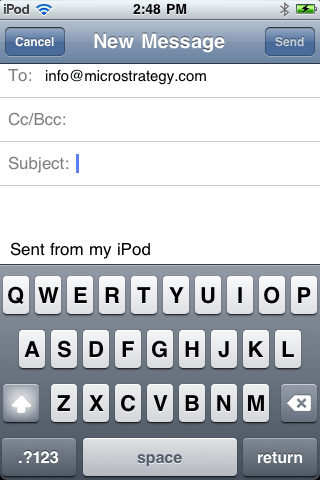
ka04W000000OfHDQA0_0EM440000002ASD.jpeg

The email client used will be the one that the iPhone has configured to use by default:
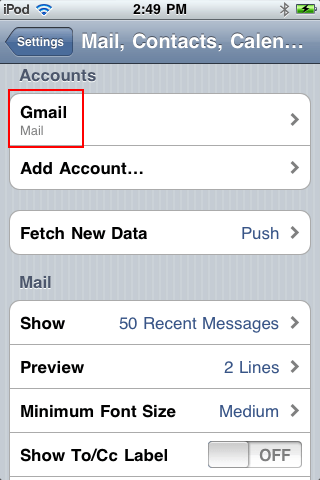
ka04W000000OfHDQA0_0EM440000002AS9.jpeg


Comment

0 comments

Details

Knowledge Article

Published:

May 3, 2017

Last Updated:

May 3, 2017