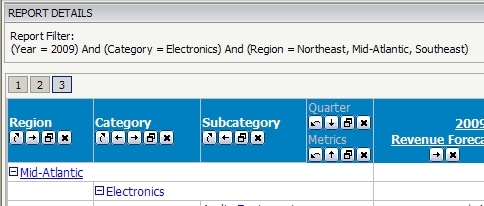
To remove the Report Details section permanently from showing implement the following Addon using the customizations editor.
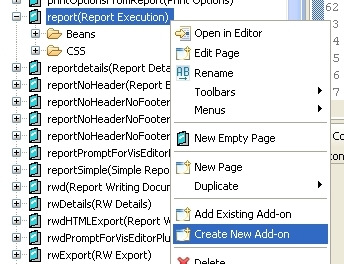
1. Open the customizations editor and select "Pages" - "report(Report Execution)"
2. Right mouse click and select "Create New Addon"
3. Complete the dialog with the source folder, package name, class name... information
4. When the Java Editor opens paste the addon code in this technical note
Note: Class Name, package information might have to be changed to accommodate for your environment
5. After applying the changes re-start the web server
Addon Code
package com.Strategy.addons;

import com.Strategy.web.app.addons.AbstractAppAddOn;
import com.Strategy.web.app.beans.PageComponent;
import com.Strategy.web.app.beans.ReportDetailsBean;
import com.Strategy.web.beans.WebComponent;


public class ReportDetailsAddon extends AbstractAppAddOn {

	public String getAddOnDescription() {
		return "This add on change the Strategy Web behavior to not display the Report details section by default";
	}

	public void postCollectData(PageComponent pg) {

		System.out.println("In addon");

		ReportDetailsBean rdb = getReportDetailsBean(pg);

		// set the flag to not display the Report Details section
		rdb.setIsOpen(false);
	}

	private static ReportDetailsBean getReportDetailsBean(WebComponent wc) {

		ReportDetailsBean result = null;

		//if the current web component is a ReportDetailsBean then return it
		if (wc instanceof ReportDetailsBean) {
			result = (ReportDetailsBean) wc;

			//otherwise, try to find a ReportDetails bean amongst the page children
		} else {
			for (int i = 0; i < wc.getChildCount(); i++) {

				//search recursively through all children
				result = getReportDetailsBean(wc.getChild(i));
				if (result != null) break;
			}
		}
		return result;
	}
}