EducationSoftwareStrategy.com
StrategyCommunity

Knowledge Base

Product

Community

Knowledge Base

TopicsBrowse ArticlesDeveloper Zone

Product

Download SoftwareProduct DocumentationSecurity Hub

Education

Tutorial VideosSolution GalleryEducation courses

Community

GuidelinesGrandmastersEvents
x_social-icon_white.svglinkedin_social-icon_white.svg
Strategy logoCommunity

© Strategy Inc. All Rights Reserved.

LegalTerms of UsePrivacy Policy
  1. Home
  2. Topics

KB34907: When exporting a Report Services document to Excel, column headers with word wrap cut off the bottom row in MicroStrategy Web 9.4.1 and above.


Community Admin

• Strategy


When exporting a Report Services document to Excel, column headers with word wrap cut off the bottom row in MicroStrategy Web 9.4.1 and above.

SYMPTOM:
When exporting a document to Excel, column headers with word wrap enabled cut off the bottom row in Strategy Web 9.4.1 and above.
 
STEPS TO REPRODUCE:
  • Copy the Cost metric, and name it "Cost Cost Cost Cost Cost Cost"
  • Create a report with Call Center and the copied metric.
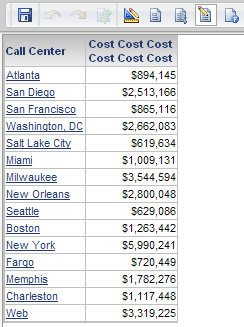
  • Resize the columns so that the metric word wraps:


ka04W000000OepuQAC_0EM4400000027pq.png
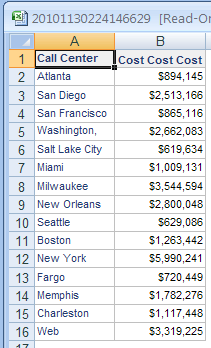
  • Export to Excel. Notice word wrap is maintained:


ka04W000000OepuQAC_0EM4400000027ps.png
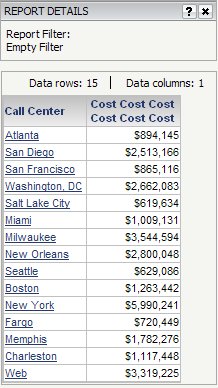
  • Create document from this report. Make sure the columns in the grid are sized to display the same as in step 3.


ka04W000000OepuQAC_0EM4400000027pp.png
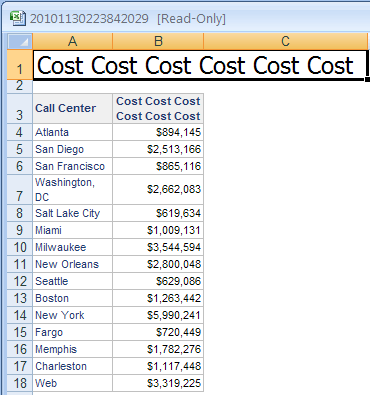
  • Export to Excel. Notice only half the metric displays without wrapping.


ka04W000000OepuQAC_0EM4400000027q1.png

 
CAUSE:
This is a known issue in Strategy Web 9.4.1 and above.
 
ACTION:
Strategy will continue to investigate and post updates as soon as they are available.


Comment

0 comments

Details

Knowledge Article

Published:

June 5, 2017

Last Updated:

June 5, 2017