EducationSoftwareStrategy.com
StrategyCommunity

Knowledge Base

Product

Community

Knowledge Base

TopicsBrowse ArticlesDeveloper Zone

Product

Download SoftwareProduct DocumentationSecurity Hub

Education

Tutorial VideosSolution GalleryEducation courses

Community

GuidelinesGrandmastersEvents
x_social-icon_white.svglinkedin_social-icon_white.svg
Strategy logoCommunity

© Strategy Inc. All Rights Reserved.

LegalTerms of UsePrivacy Policy
  1. Home
  2. Topics

KB34926: Users cannot run more than one instance of MicroStrategy Web version 9.3.x when multiple instances are setup on IIS7 running on a 64bit Windows 2008 machine.


Community Admin

• Strategy


Users cannot run more than one instance of MicroStrategy Web version 9.3.x when multiple instances are setup on IIS7 running on a 64bit Windows 2008 machine.

SYMPTOM:
 
When more than one instance of Strategy Web is setup on IIS 2007 as explained in the following MSDL article
Deploying Multiple Instances of MicroStrategy Web on the Same Machine
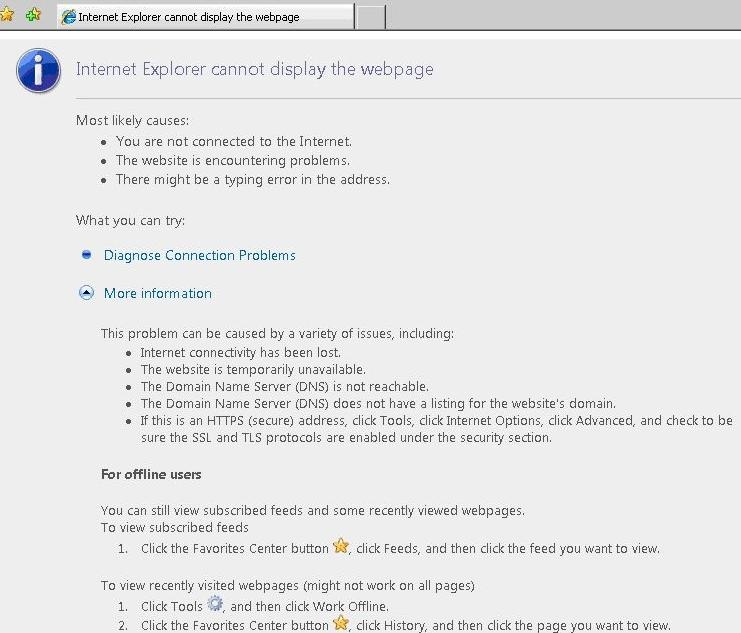
Users cannot execute more than one instance of Strategy at any given time. The following error screen shows up when they try to run the second instance
 

ka0PW0000000nlVYAQ_0EM4400000027p3.jpeg


Users can see the following error message logged in the JVMMessages.log file located under C:\Program Files (x86)\Common Files\MicroStrategy\Log


2010-12-03 12:16:34.758-05:00 FATAL ERROR in native method: JDWP No transports initialized, jvmtiError=AGENT_ERROR_TRANSPORT_INIT(197)

2010-12-03 12:16:34.758-05:00 JVM abort detected by Strategy BridgeBase!


CAUSE:
 
This issue is caused if there are additional debug parameters added to the JVM Options key in the registry. The following parameter
"-Xrunjdwp:transport=dt_socket,address=8000,server=y,suspend=n"  is problematic when there are two deployments of Web because it will cause the JVM in each deployment to have a debugging component trying to listen on port 8000.  Since there can only be one listener bound to a given port, the second listener will fail, causing the JVM to abort. 
 
ACTION:
 
Modify the JVM Options key under the Registry at the following location to have only -Xrs as the value under OtherOptions
 

ka0PW0000000nlVYAQ_0EM4400000027oz.jpeg

 
HKEY_LOCAL_MACHINE\SOFTWARE\Wow6432Node\MicroStrategy\JNI Bridge 64\Configuration\JVM Options


Comment

0 comments

Details

Knowledge Article

Published:

June 15, 2017

Last Updated:

February 16, 2024