EducationSoftwareStrategy.com
StrategyCommunity

Knowledge Base

Product

Community

Knowledge Base

TopicsBrowse ArticlesDeveloper Zone

Product

Download SoftwareProduct DocumentationSecurity Hub

Education

Tutorial VideosSolution GalleryEducation courses

Community

GuidelinesGrandmastersEvents
x_social-icon_white.svglinkedin_social-icon_white.svg
Strategy logoCommunity

© Strategy Inc. All Rights Reserved.

LegalTerms of UsePrivacy Policy
  1. Home
  2. Topics

KB34941: Document cache is not created even though the caching options are enabled in the Document Properties in MicroStrategy 9.x


Community Admin

• Strategy


Document cache is not created even though the caching options are enabled in the Document Properties in MicroStrategy 9.x

SYMPTOM:
Even though document caching is enabled in the Document Properties, no caches are generated on the Strategy Intelligence Server 9.x:
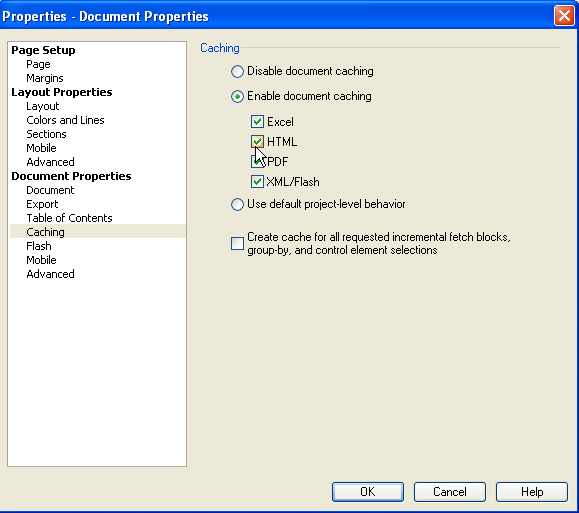
 

ka04W000001MKk3QAG_0EM440000002DvM.png


CAUSE:
If one or more of the document's datasets has caching disabled then the associated cache for the document will not be created. This is working as designed.
 
 
ACTION:
Ensure that all datasets used in the document have caching enabled.


Comment

0 comments

Details

Knowledge Article

Published:

April 11, 2017

Last Updated:

April 11, 2017