Starting from Strategy 9.0.2, users have the option of removing attributes or metrics from the grid of a Report Services Document executed in Interactive or Editable display mode without losing the information related to these units.
After removing an attribute from the grid, we can preserve its runtime information such as alias, format and forms. Once users put back the attribute in the grid during the same execution, the runtime information is restored.
There is also the option of setting View filter conditions at the Grid level on metrics not included in the grid (but included in the dataset).
Example 1.
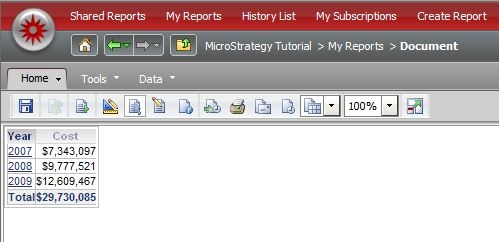
Consider the following document created in the Strategy Tutorial project.
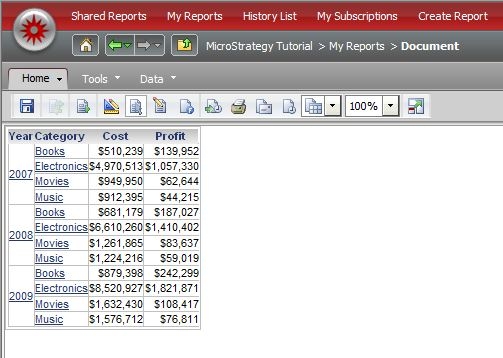
Suppose the user adds the ID form to the 'Category' column:
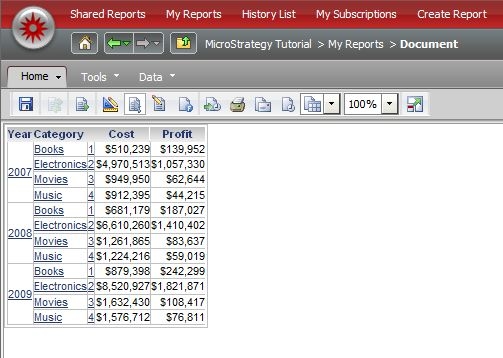
Then suppose the user removes 'Category' from the grid.
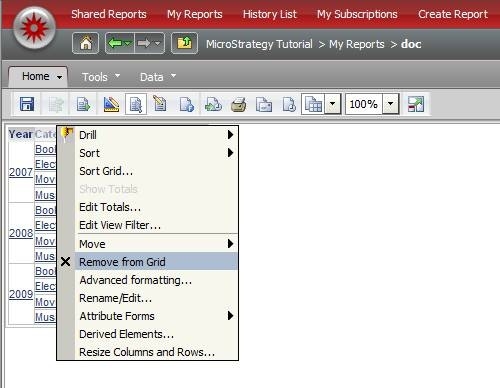
If the user changes to Design mode and adds the 'Category' attribute back to the grid (without re-execution), the ID form will persist in the grid.
Example 2.
Consider the following document created in the Strategy Tutorial project:
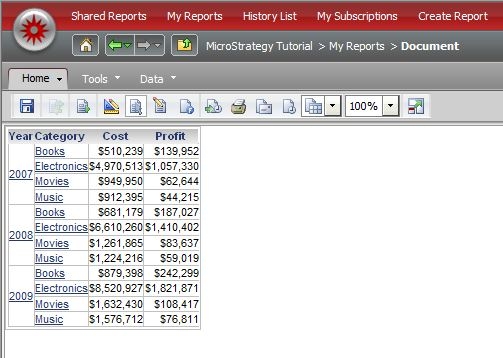
Suppose the user removes 'Category' and 'Profit' from the grid:
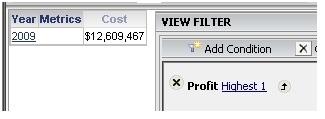
If the user edits the View Filter and adds a condition based on Profit (for example, "Highest 1"), the following two options will be available:
1. Filter at the Grid level (default):
2. Filter at the Report level:
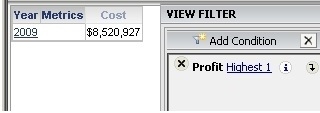
Notice that users need to click on the arrow next to the condition to switch between Grid and Report levels.
Previous versions of Strategy only support view filtering at the Report Level when the metric is not included in the grid.
