EducationSoftwareStrategy.com
StrategyCommunity

Knowledge Base

Product

Community

Knowledge Base

TopicsBrowse ArticlesDeveloper Zone

Product

Download SoftwareProduct DocumentationSecurity Hub

Education

Tutorial VideosSolution GalleryEducation courses

Community

GuidelinesGrandmastersEvents
x_social-icon_white.svglinkedin_social-icon_white.svg
Strategy logoCommunity

© Strategy Inc. All Rights Reserved.

LegalTerms of UsePrivacy Policy
  1. Home
  2. Topics

KB35088: How to add a footer to MicroStrategy Distribution Services 9.x report and document email subscriptions


Community Admin

• Strategy


This KB article describes how to add a foot in MicroStrategy Distribution Services 9.x.

In Strategy Distribution Services 9.x it is not currently possible to add any headers, however, it is possible to add a footer to the email subscription. The following procedure describes how to accomplish this:
Note: The procedure below will apply the changes to all reports and/or documents for the specified project and email delivery subscriptions.
  • Via a 3-tier project source in Strategy Desktop 9.x, login to the desired project.
  • Right-click the Project and go to "Project Configuration".
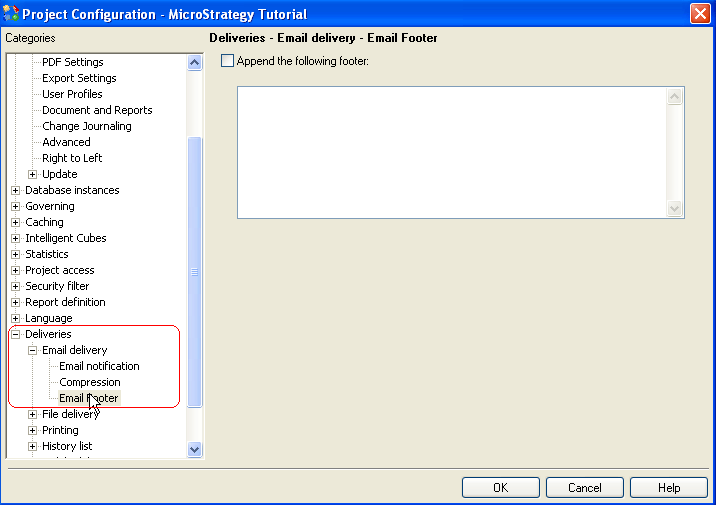
  • Navigate to Deliveries > Email Deliveries > Email Footer:
ka04W000000Oh1BQAS_0EM440000002AkI.png
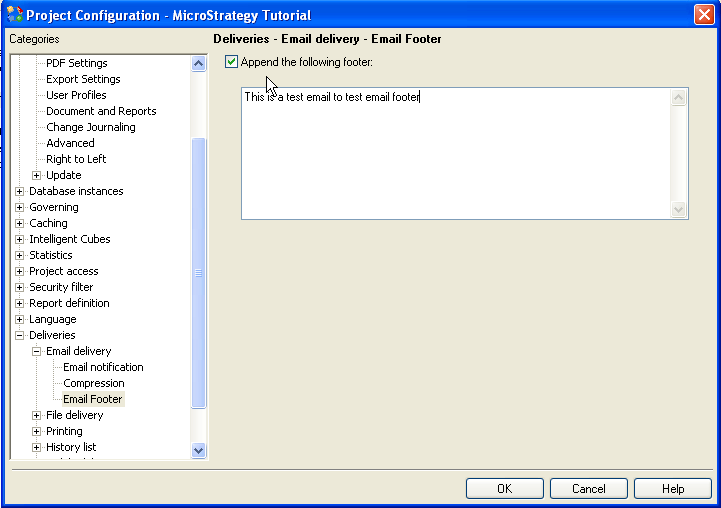
  • Select 'Append the following footer' and edit the footer that you want to add to all of the email subscriptions for this project:
ka04W000000Oh1BQAS_0EM440000002AkK.png
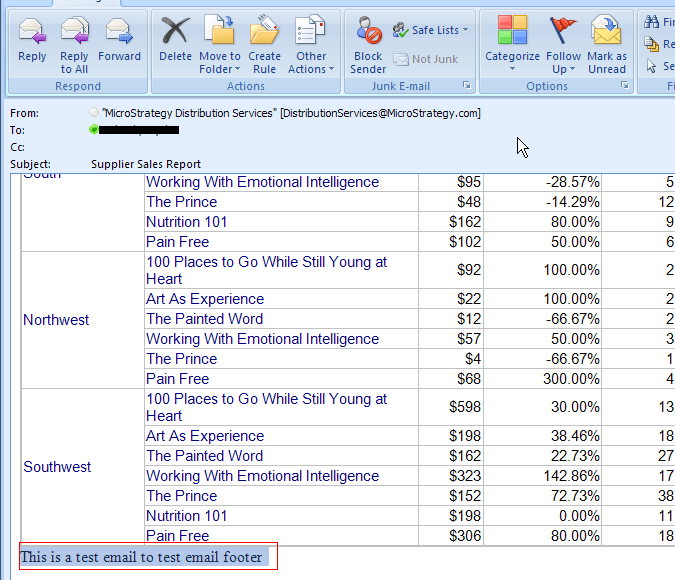
  • The following footer will be displayed at the footer of the email:
ka04W000000Oh1BQAS_0EM440000002AkM.png

Note: When making changes to the Project configuration it may be necessary to unload and reload the project for the changes to take into effect 


Comment

0 comments

Details

Knowledge Article

Published:

June 6, 2017

Last Updated:

June 6, 2017