SYMPTOM:
Reports using Dynamic Sourcing do not hit the Intelligent Cube when using the NullToZero function in Strategy 9.4.x.-10.x.
STEPS TO REPRODUCE:
1. Create a Cube with following objects:
• Year as Attribute
• Category as Attribute
• Profit as Metric
• Report Filter: Year in list (2009)
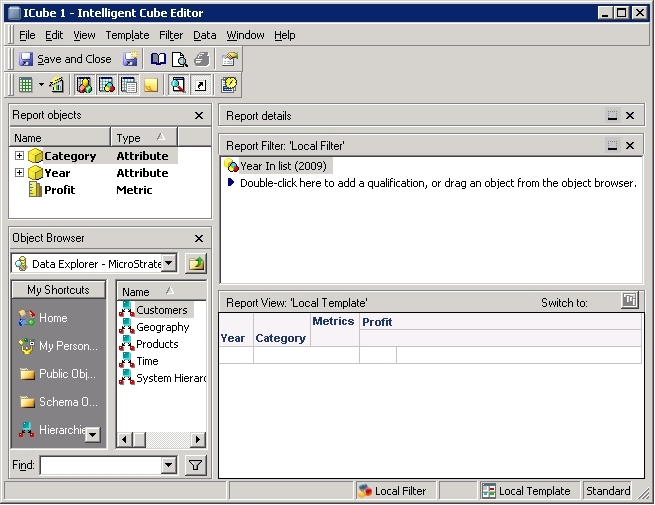
2. Publish the Cube.
3. Create a Report with the following objects:
• Year as Attribute
• Category as Attribute
• Profit as Metric
• Report Filter: Year in list (2009)
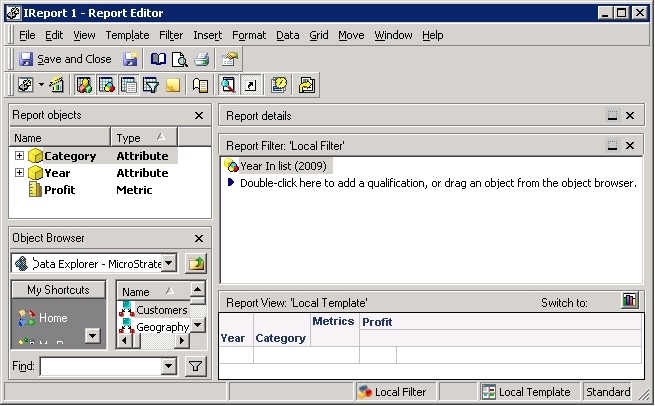
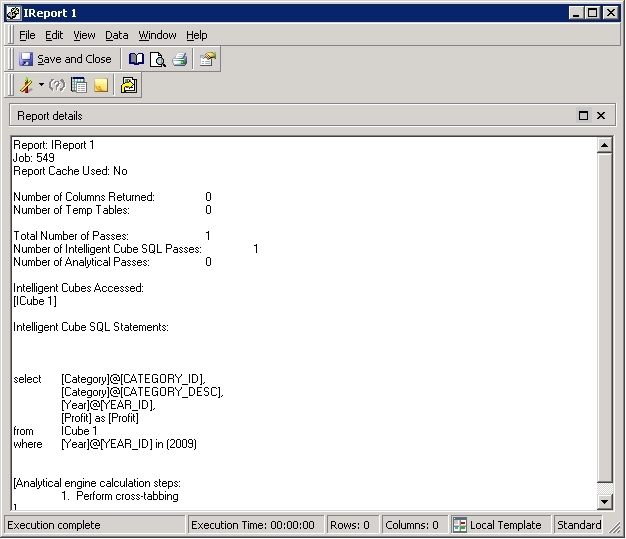
4. Run Report in SQL View. You can see that the report uses the cube as source:
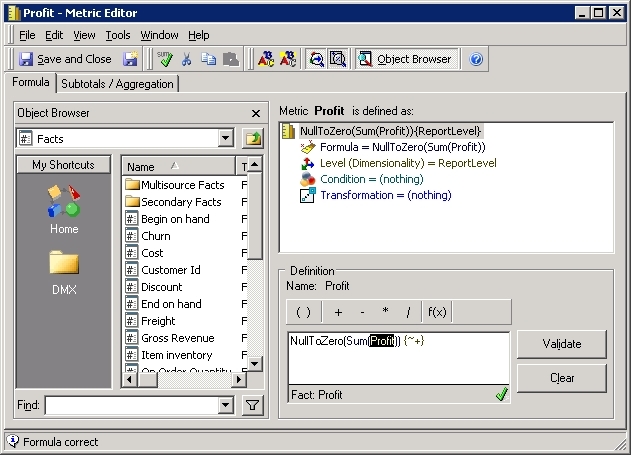
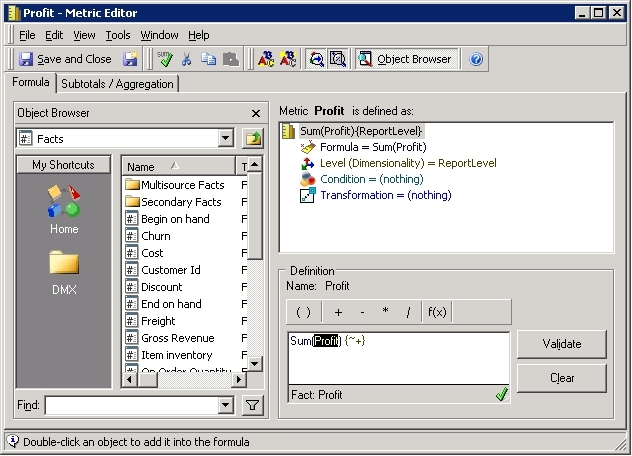
5. Modify the “Profit” Metric. Add the NullToZero-Function to the metric definition:
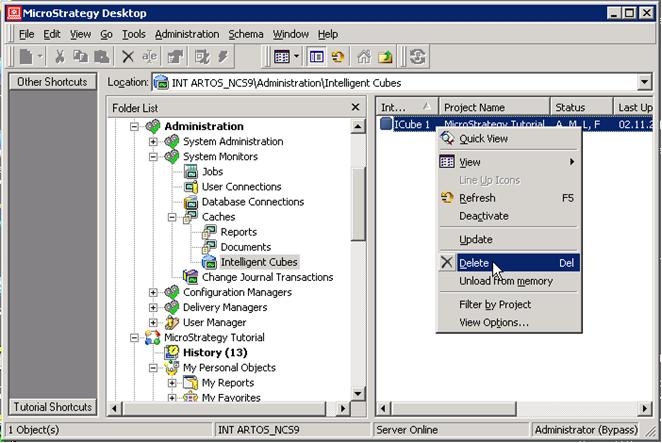
6. Delete the Cache for Cube in Administration\Caches\Intelligent Cubes:
7. Publish the Intelligent Cube again.
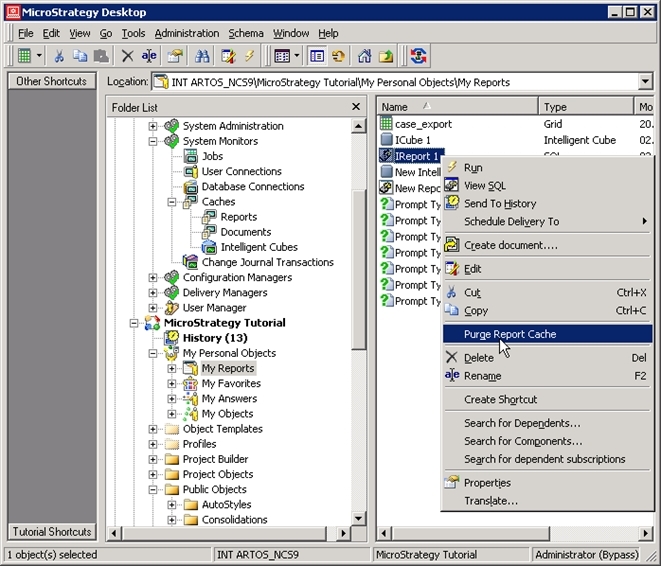
8. Purge the Report Cache for the Report:
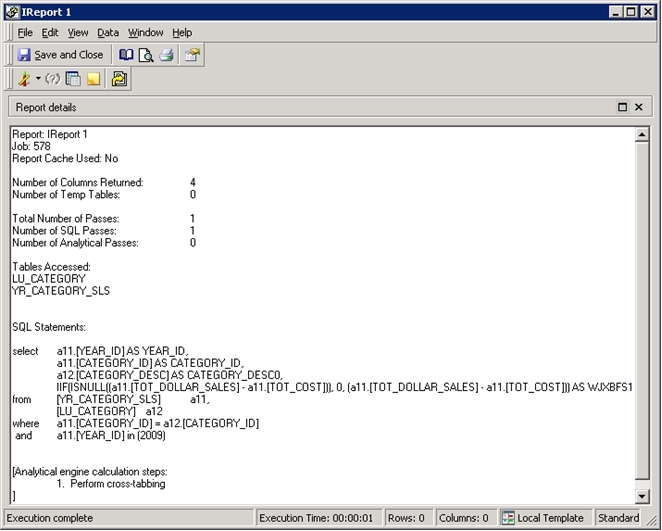
9. Run the Report in SQL View. You can see that the report uses the data warehouse table as source and not the cube:
10. If you change the metric to the original metric definition, delete cache from the cube, publish the cube, purge the Report Cache and run the report in the SQL view again, you will see that the report uses the cube as source:
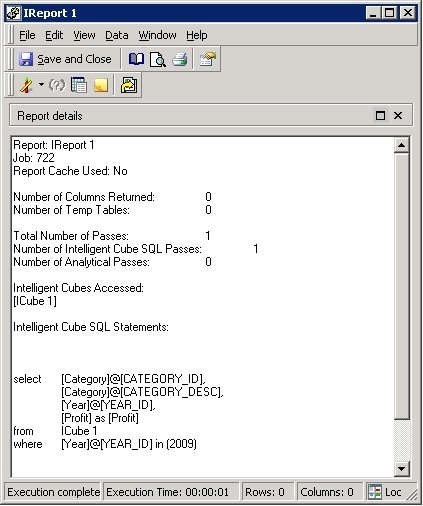
CAUSE:
This represents a known issue with Strategy 9.4.x.-10.x. The use of the NullToZero function in a metric definition is not currently supported for use with an Intelligent Cube.
WORKAROUND:
A separate metric can be created for use with the Intelligent Cube which does not contain the nested function:
Cube's metric: Sum(fact1){~+}
Report's metric: NullToZero(Sum(fact1){~+})
It is also possible to use the Cube Advisor application which would suggest an Intelligent Cube with a Sum(fact1){~+} metric to serve the report.
ACTION:
Please post to the Ideas Exchange for this feature to be implemented in future releases.
https://success.Strategy.com/s/topic/0TO44000000Flk1GAC/Other%20MDX%20(OLAP%20Cubes)%20-%20U101?t=1493044276788&tabset-215d6=4aa55
