EducationSoftwareStrategy.com
StrategyCommunity

Knowledge Base

Product

Community

Knowledge Base

TopicsBrowse ArticlesDeveloper Zone

Product

Download SoftwareProduct DocumentationSecurity Hub

Education

Tutorial VideosSolution GalleryEducation courses

Community

GuidelinesGrandmastersEvents
x_social-icon_white.svglinkedin_social-icon_white.svg
Strategy logoCommunity

© Strategy Inc. All Rights Reserved.

LegalTerms of UsePrivacy Policy
  1. Home
  2. Topics

KB35426: How to use the Portable Documents feature in MicroStrategy Developer 9.4.x-10.x


Stefan Zepeda

Salesforce Solutions Architect • Strategy


The Portable Documents feature can be used to export a Report Services document template and import it into blank documents. This feature is particularly useful for recreating documents that have object corruption without having to manually recreate the formatting on a new document. 

The Portable Documents feature can be used to export a Report Services document template and import it into blank documents. This feature is particularly useful for recreating documents that have object corruption without having to manually recreate the formatting on a new document. 
 
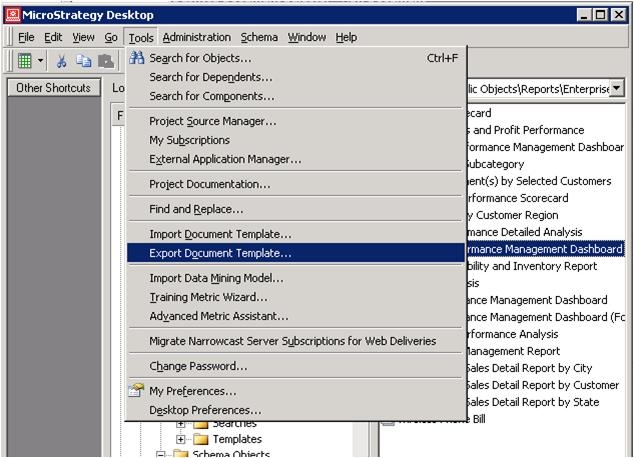
Exporting the Document Template:
ka02R000000kVpBQAU_0EM440000002Dpm.jpeg


ka02R000000kVpBQAU_0EM440000002Dpc.jpeg
  • More than one Report Service documents can be chosen when creating the template.
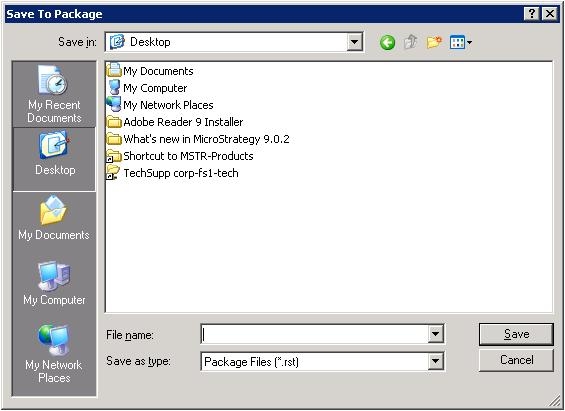
  • Export Report Service document template will create a package in the source project.
     

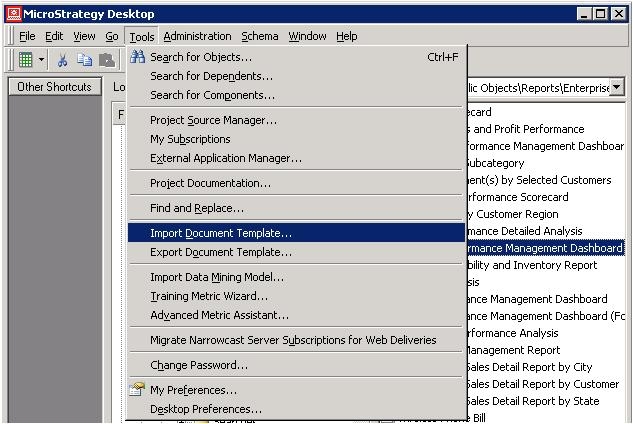
Importing the Document Template:

ka02R000000kVpBQAU_0EM440000002Dpe.jpeg


ka02R000000kVpBQAU_0EM440000002Dpb.jpeg
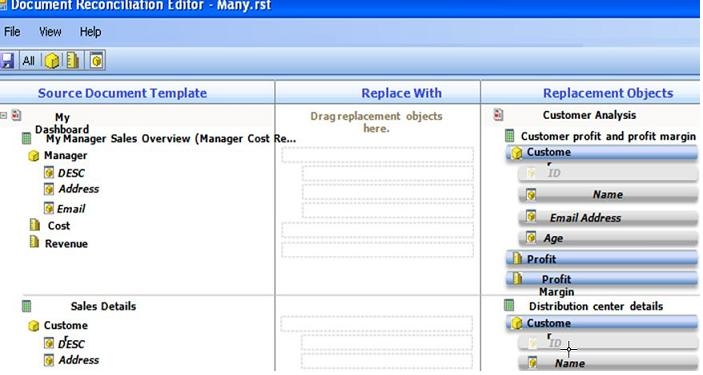
  • All  datasets and their components will show in the Source Document Template section.
  • Objects(Attribute forms, Metrics) can be mapped in the Replace With section.
  • Import document template will import the package to the destination project.

Comment

0 comments

Details

Knowledge Article

Published:

May 23, 2017

Last Updated:

May 23, 2017