EducationSoftwareStrategy.com
StrategyCommunity

Knowledge Base

Product

Community

Knowledge Base

TopicsBrowse ArticlesDeveloper Zone

Product

Download SoftwareProduct DocumentationSecurity Hub

Education

Tutorial VideosSolution GalleryEducation courses

Community

GuidelinesGrandmastersEvents
x_social-icon_white.svglinkedin_social-icon_white.svg
Strategy logoCommunity

© Strategy Inc. All Rights Reserved.

LegalTerms of UsePrivacy Policy
  1. Home
  2. Topics

KB35450: An object prompt does not display a folder structure in MicroStrategy Office 9.x


Community Admin

• Strategy


SYMPTOM
When object prompts are configured to use "Display using folder structure", the setting does not get applied when the report is executed through Strategy Office 9.x. The folder structure is properly displayed in Strategy Desktop and Web.
 
STEPS TO REPRODUCE
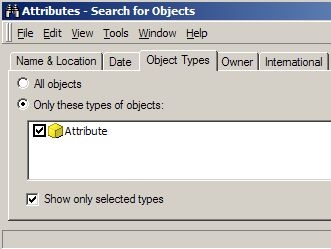
  • Create a search object for attribute object types.
        
ka04W000000Ock6QAC_0EM4400000027mA.jpeg
  • Create an object prompt based on previously created search object.
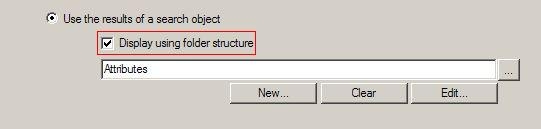
  • Enable the option 'Display using folder structure".
     
     
ka04W000000Ock6QAC_0EM4400000027lt.jpeg
  • Create a report and insert the previous created object prompt.
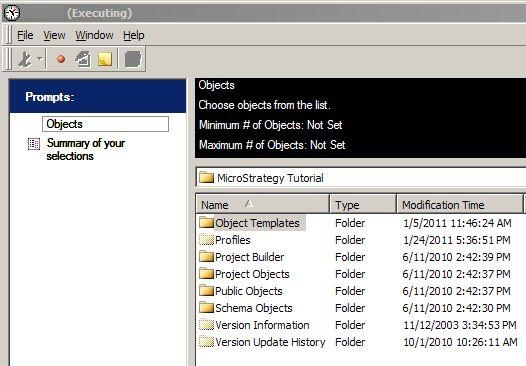
  • When the report is executed in Strategy Desktop, the display is as follows:
     
     
ka04W000000Ock6QAC_0EM4400000027lr.jpeg
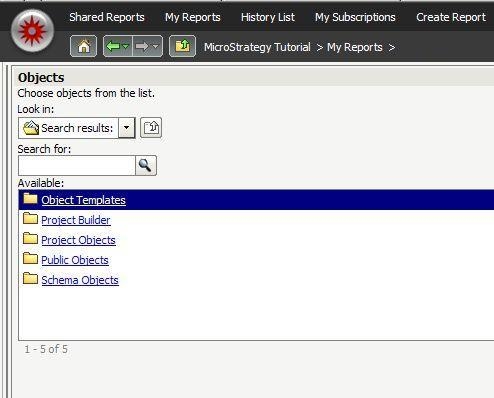
  • The same report executed in MicroStratetgy Web would look like the following image:
     
ka04W000000Ock6QAC_0EM4400000027m8.jpeg
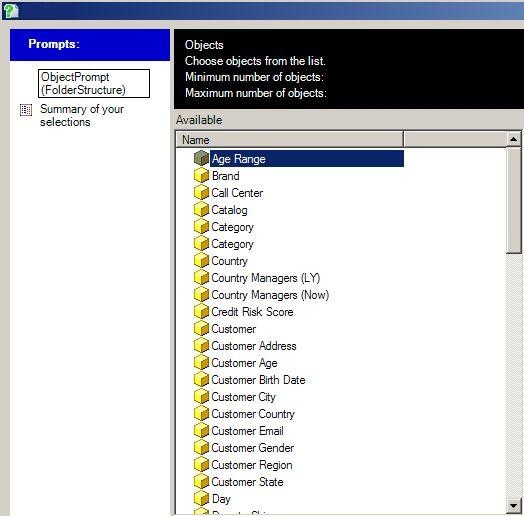
  • However, when the report is executed in Strategy Office, notice that in Strategy Office, the folder structure is not applied to the object display:
     
     
ka04W000000Ock6QAC_0EM4400000027lp.jpeg

 
CAUSE
This is a known issue in Strategy Office 9.x.
 
ACTION
Contact Strategy Technical Support for an update on the status of this issue.


Comment

0 comments

Details

Knowledge Article

Published:

July 11, 2017

Last Updated:

July 11, 2017