EducationSoftwareStrategy.com
StrategyCommunity

Knowledge Base

Product

Community

Knowledge Base

TopicsBrowse ArticlesDeveloper Zone

Product

Download SoftwareProduct DocumentationSecurity Hub

Education

Tutorial VideosSolution GalleryEducation courses

Community

GuidelinesGrandmastersEvents
x_social-icon_white.svglinkedin_social-icon_white.svg
Strategy logoCommunity

© Strategy Inc. All Rights Reserved.

LegalTerms of UsePrivacy Policy
  1. Home
  2. Topics

KB35455: The Horizontal Text Alignment option for a panel selector is greyed out and cannot be changed from LEFT in MicroStrategy Web


Community Admin

• Strategy


Users are not able to change the formatting of the horizontal text alignment for a panel selector in MicroStrategy Web 9.x because the option is greyed out and is fixed to LEFT. This option would useful to users who would like to control the display of their selector elements in the panel selector and would like to format their panel selector for design purposes.

SYMPTOM:
Users are not able to change the formatting of the horizontal text alignment for a panel selector in Strategy Web 9.x because the option is greyed out and is fixed to LEFT. This option would useful to users who would like to control the display of their selector elements in the panel selector  and would like to format their panel selector for design purposes.
 
STEPS TO REPRODUCE:
In Strategy Web 9.x, launch the Strategy Tutorial project:
  • Create a simple grid report with a couple of attributes on the rows and a couple of metrics on the columns
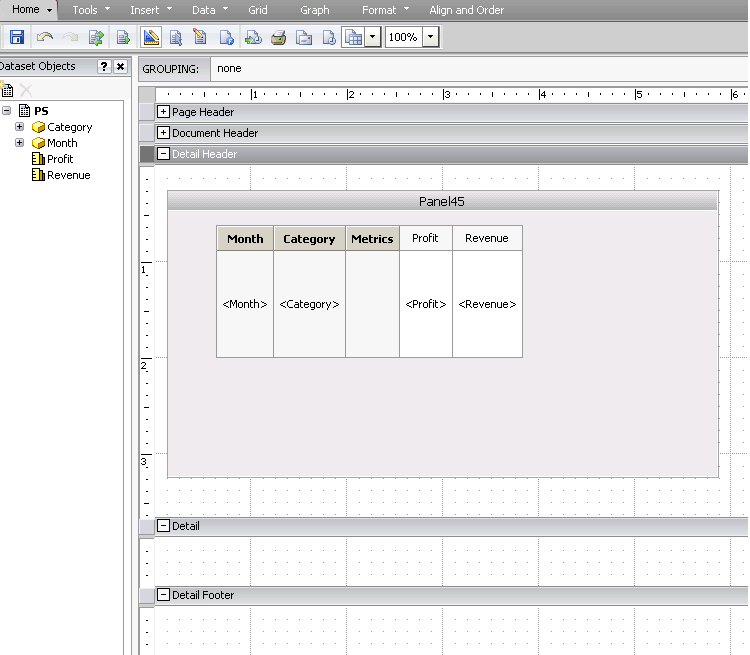
  • Create a new dashboard and add the above grid report as a dataset to the dashboard into a panel stack:
     
ka04W000000OdluQAC_0EM4400000027lz.png
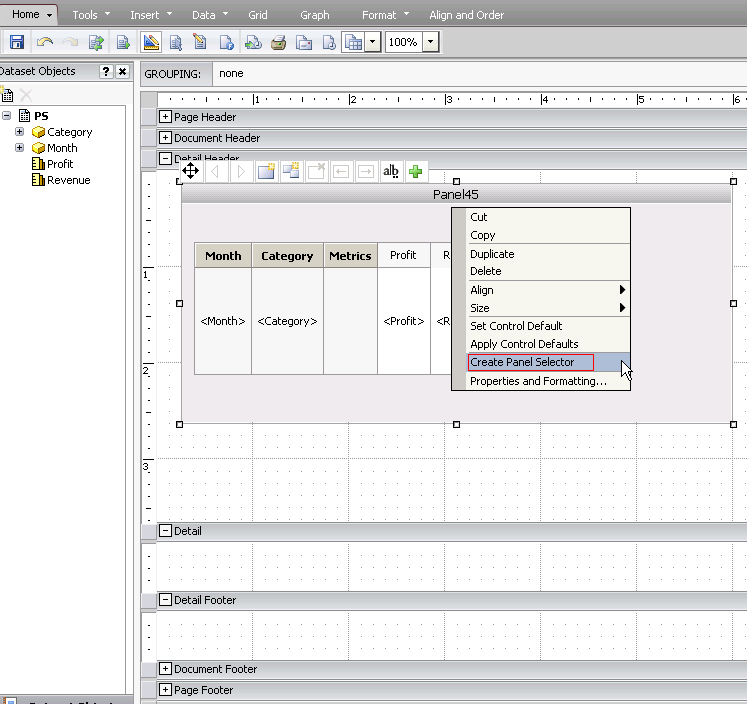
  • Click on the actual panel (not the grid), right click and choose "Create Panel Selector"
     
ka04W000000OdluQAC_0EM4400000027lx.png
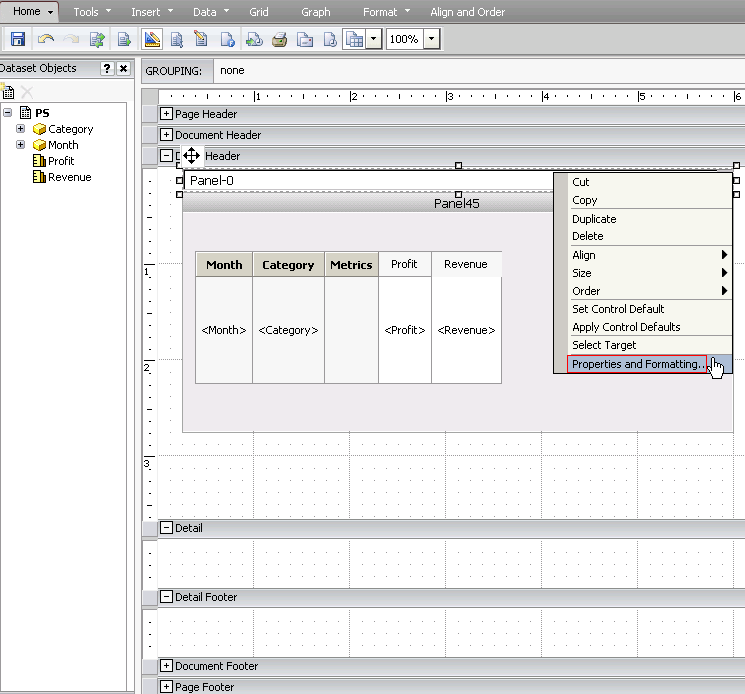
  • Once the panel selector is created, expand to fit the panel length, right click and click on "Properties and Formatting"
     
ka04W000000OdluQAC_0EM4400000027lv.png
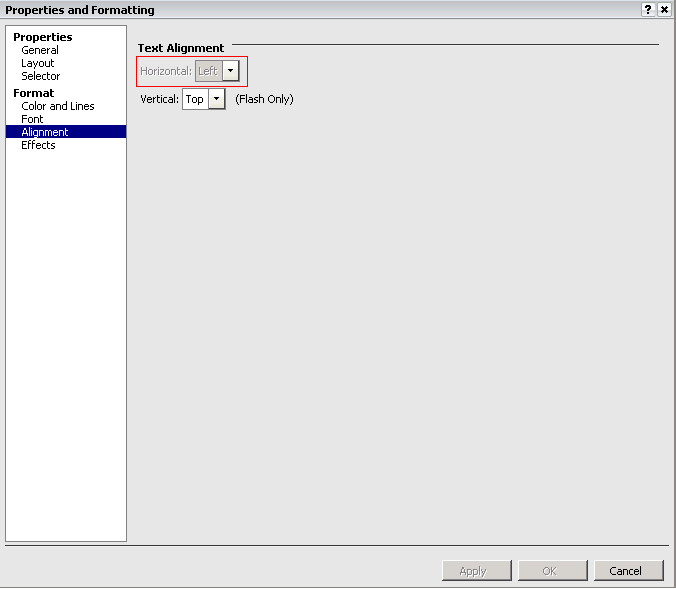
  • In the "Properties and Formatting" window, click on "Alignment" under the "Format" section.  Notice that the "Text Alignment" for "Horizontal" is set to LEFT and is greyed out and cannot be changed.
     
ka04W000000OdluQAC_0EM4400000027m1.png

CAUSE:
This is a known issue in the formatting functionality of a panel selector in Strategy Web 9.x.
 
ACTION:
Contact Strategy Technical Support for an update on this issue.
 
WORKAROUND:
Refer to KB35456 for the workaround for this issue


Comment

0 comments

Details

Knowledge Article

Published:

June 15, 2017

Last Updated:

June 15, 2017