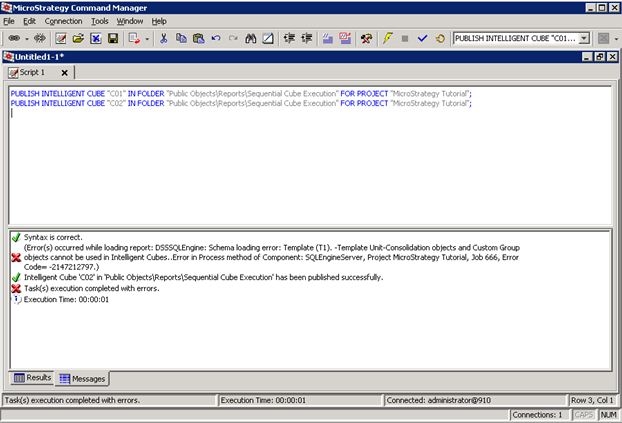
This feature allows the user to execute multiple Intelligent Cube Reports in a sequential order. This is particularly useful when there exist many Intelligent Cubes that have to be published but require a high amount of memory in the process so executing them, all at the same time is not feasible.Traditionally, this type of requirement was hard to achieve as there was not an event that could be triggered right after the execution of an Intelligent Cube finishes; however, this new feature provides a solution to that problem.
Example:
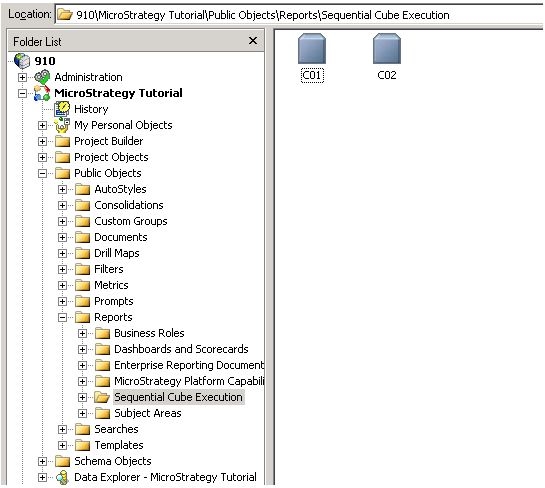
1. Create two Intelligent Cube Reports: C01 and C02 in the Strategy Tutorial project.
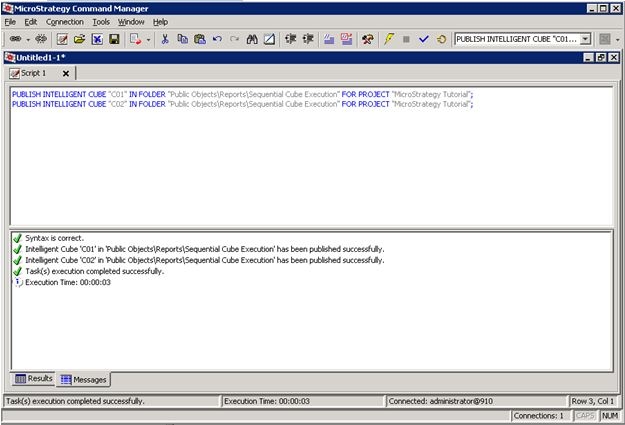
2. Open Command Manager and type the following commands to execute the Intelligent Cubes.
PUBLISH INTELLIGENT CUBE "C01" IN FOLDER "Public Objects\Reports\Sequential Cube Execution" FOR PROJECT "Strategy Tutorial";
PUBLISH INTELLIGENT CUBE "C02" IN FOLDER "Public Objects\Reports\Sequential Cube Execution" FOR PROJECT "Strategy Tutorial";
The previous commands can be saved in a script that also requests the Command Manager console to be open through the command prompt. This script can be executed or be scheduled to be executed at a certain time.
Another advantage of this feature is that if any of the Intelligent Cubes fails during the publication, this won't affect the script and Command Manager will proceed with the following Intelligent Cube in the list.