SYMPTOM
Some users may notice that the Preferences > User Preference > Folder Browsing category is missing. As a result, users cannot access the two options within this category, 'Enable running filter + template' and 'Show Footer Path'.
CAUSE
The 'Web create new report' Web Analyst privilege is disabled.
ACTION
Enable the 'Web create new report' Web Analyst privilege, as shown below:
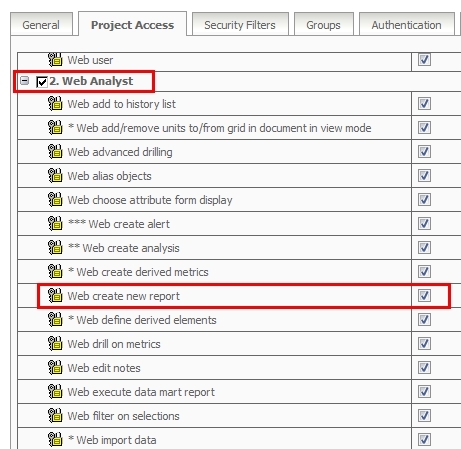
The Folder Browsing category should appear now under Preferences > User Preference.
Note: For more details about Footer Path, refer to the following technical note in Strategy Knowledgebase article:
KB41638: How to Enable the New Footer Path in Strategy Web 9.x
Article Reference Number:
KB3577
