SYMPTOM:
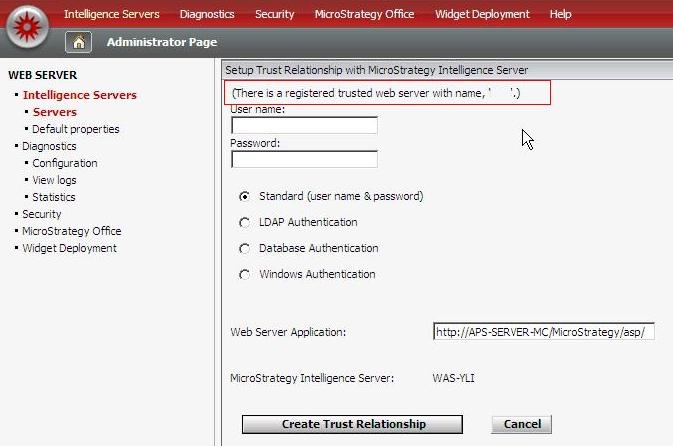
"There is a registered trusted web server with name ..." error appears when setting up Trusted Relationships for Clustered Intelligence Server using Strategy Web. See image below:
CAUSE:
This is an expected behavior of Strategy Web when there are multiple Trusted Relationships with the same name since each Trusted Relationship needs to be created using unique Web Server Application name.
ACTION:
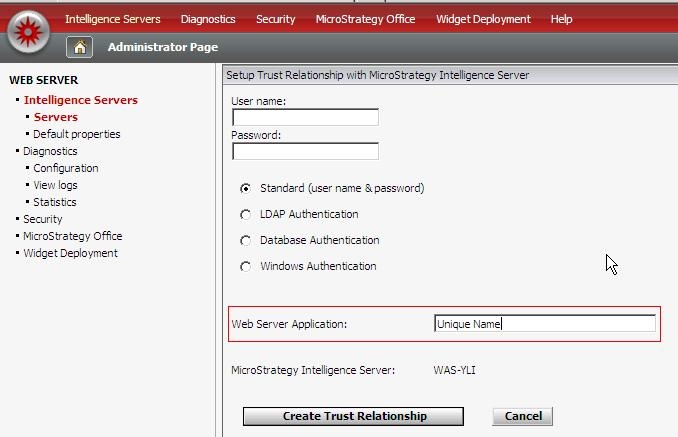
To create Trusted Relationship for Clustered Intelligence Servers, each Trusted Relationship needs to be created using unique Web Server Application name (see below):
NOTE: Please follow article KB30292: How to setup Trusted Authentication (Single Sign On) for the MicroStrategy Intelligence Server 9 to properly configure the trusted relationship.
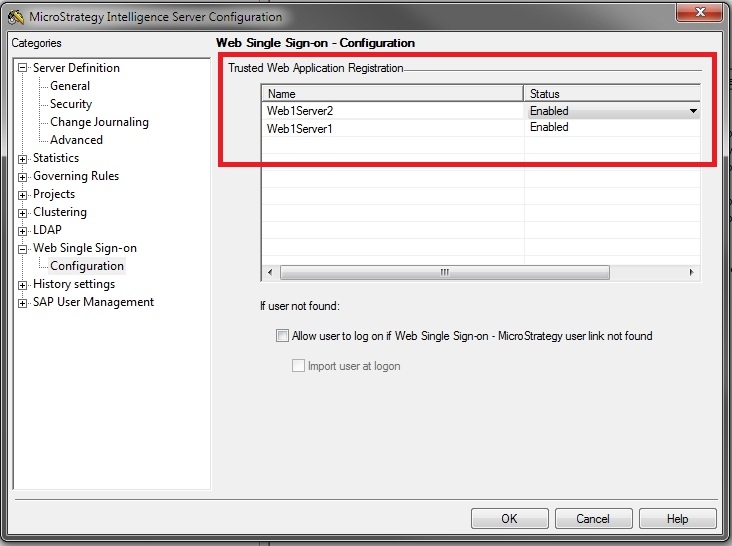
After the trusted relationships are correctly generated from Strategy Web, the trusted entries will appear under Web Single Sign-on section under Strategy Intelligence Server Configuration editor.
For example, in the following environment, one web server is used to access a cluster of two Intelligence Servers, two unique Trusted Web Application Registration are created under Web Single Sign-on section.