SYMPTOM:
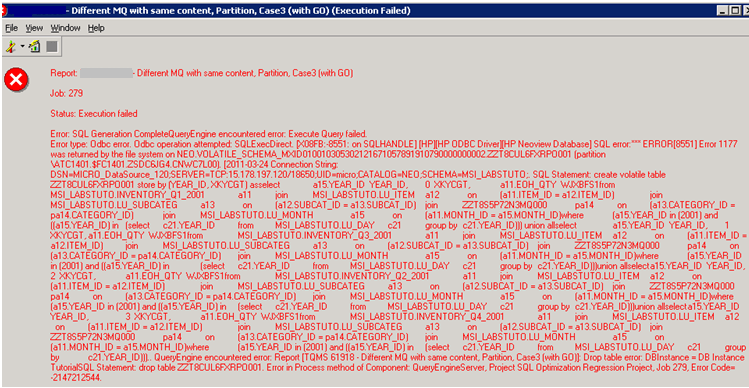
Users running a report on Strategy 9.x against HP NeoView 2.5 warehouse could get randomly an error like the shown below:
CAUSE:
This is due to a known issue with HP NeoView 2.5. The problem is generated while handling temporary tables. Reports for which the generated SQL results in implicit table creation with at least one UNION in that table's select statements are the ones that cause the 1177 Error.
One example would be the one shown below:
create volatile table ZZTDGY7ZU6APO001

store by (YEAR_ID, XKYCGT) as

select    a15.YEAR_ID  YEAR_ID,

                0  XKYCGT,

                a11.EOH_QTY  WJXBFS1

from      MSI_LABSTUTO.INVENTORY_Q4_2000  a11

                join        MSI_LABSTUTO.LU_ITEM            a12

                  on         (a11.ITEM_ID = a12.ITEM_ID)

                join        MSI_LABSTUTO.LU_SUBCATEG a13

                  on         (a12.SUBCAT_ID = a13.SUBCAT_ID)

                join        ZZTWANP0WZMMQ000                pa14

                  on         (a13.CATEGORY_ID = pa14.CATEGORY_ID)

                join        MSI_LABSTUTO.LU_MONTH      a15

                  on         (a11.MONTH_ID = a15.MONTH_ID)

where   ((a15.YEAR_ID)

in           (select  c21.YEAR_ID

                from      MSI_LABSTUTO.LU_DAY              c21

                group by              c21.YEAR_ID))

union all

select    a15.YEAR_ID  YEAR_ID,

                1  XKYCGT,

                a11.EOH_QTY  WJXBFS1

from      MSI_LABSTUTO.INVENTORY_Q3_2001  a11

                join        MSI_LABSTUTO.LU_ITEM            a12

                  on         (a11.ITEM_ID = a12.ITEM_ID)

                join        MSI_LABSTUTO.LU_SUBCATEG a13

                  on         (a12.SUBCAT_ID = a13.SUBCAT_ID)

                join        ZZTWANP0WZMMQ000                pa14

                  on         (a13.CATEGORY_ID = pa14.CATEGORY_ID)

                join        MSI_LABSTUTO.LU_MONTH      a15

                  on         (a11.MONTH_ID = a15.MONTH_ID)

where   ((a15.YEAR_ID)

in           (select  c21.YEAR_ID

                from      MSI_LABSTUTO.LU_DAY              c21

                group by              c21.YEAR_ID))

union all

select    a15.YEAR_ID  YEAR_ID,

                2  XKYCGT,

...
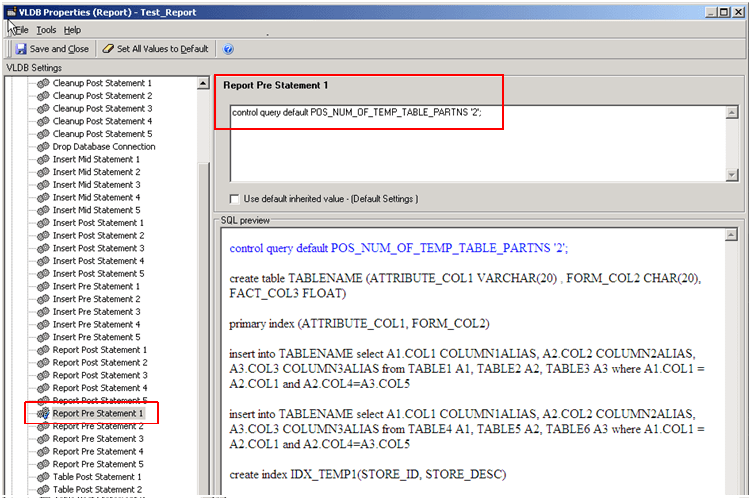
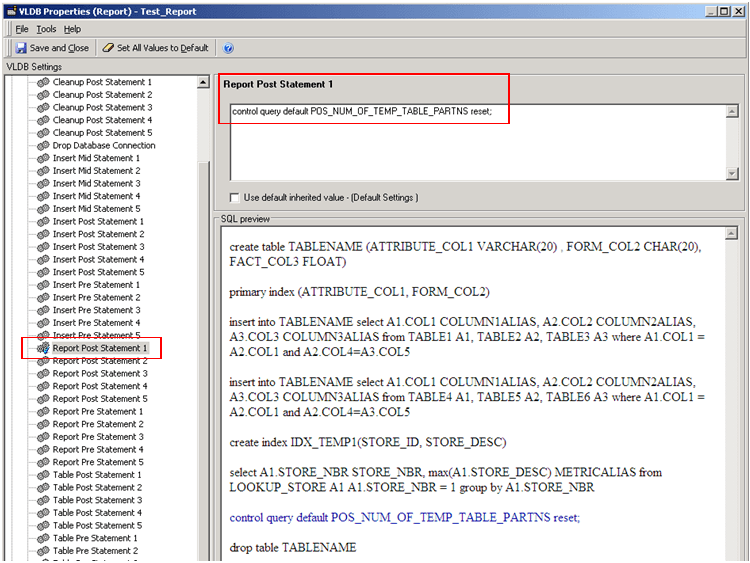
2. Set the following statement under Data > VLDB Properties > Pre/Post Statements > Report Post Statement 1 :
control query default POS_NUM_OF_TEMP_TABLE_PARTNS reset;