SYMPTOM:
In Strategy Developer 9.x and 10.x, search for components for a report returns more objects than those on the report objects and report filter.
STEPS TO REPRODUCE:
Execute the following steps in Strategy Tutorial project
1. Log into the project in Strategy Desktop. Navigate to folder Public Objects\Reports\Subject Areas\Sales and Profitability Analysis.
2. Right click on report "Call Center Performance" and search for components.
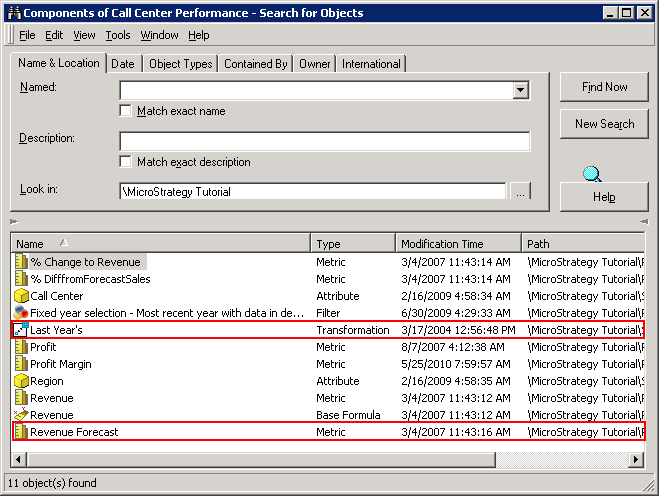
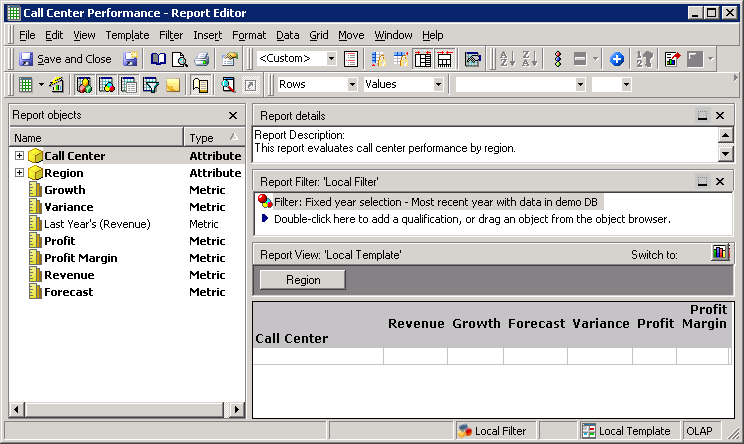
Note that the component search not only displays those objects in report objects and report filter, it also displays objects which are components of metric "Last Year's (Revenue)", i.e., base formula, transformation.
CAUSE:
This is a known issue in Strategy Developer 9.x and 10.x.
ACTION:
Contact Strategy Technical Support for an update on the issue.
