EducationSoftwareStrategy.com
StrategyCommunity

Knowledge Base

Product

Community

Knowledge Base

TopicsBrowse ArticlesDeveloper Zone

Product

Download SoftwareProduct DocumentationSecurity Hub

Education

Tutorial VideosSolution GalleryEducation courses

Community

GuidelinesGrandmastersEvents
x_social-icon_white.svglinkedin_social-icon_white.svg
Strategy logoCommunity

© Strategy Inc. All Rights Reserved.

LegalTerms of UsePrivacy Policy
  1. Home
  2. Topics

KB36049: The login page prompts repeatedly in MicroStrategy Web


Community Admin

Placeholder •


The login page prompts repeatedly in MicroStrategy Web

SYMPTOM:
 
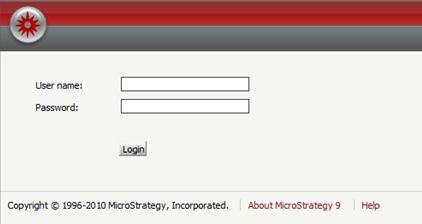
The login page prompts repeatedly for each single action in Strategy Web, as shown below: 
 

ka04W000000OcvQQAS_0EM4400000027gq.jpeg

 
CAUSE:
 
This issue could be caused by various reasons. One reason is the Strategy Web is not added into the Trusted Sites zone, so it pops up repeatedly for authentication for each single action.  
 
ACTION:
 
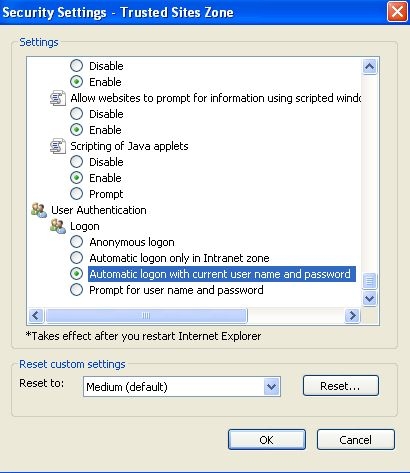
Add Strategy Web to the trusted site in web browser. If continue to get the user credential popup after making this change, check the security setting for the Trusted Sites zone. Click on Trusted Sites > Custom Level and scroll to the bottom. Make sure User Authentication -> Logon is set to Automatic logon with current user name and password is set, as shown below:
 

ka04W000000OcvQQAS_0EM4400000027gu.jpeg


Comment

0 comments

Details

Knowledge Article

Published:

June 24, 2017

Last Updated:

June 24, 2017