SYMPTOM:
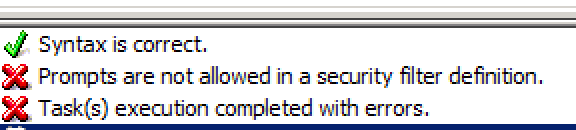
In Strategy Command Manager , prompts are not allowed in a security filter definition.
For example, when users run this script in Command manager,
CREATE SECURITY FILTER "SecFilter3" DESCRIPTION "region@id=1" IN PROJECT "Strategy Tutorial" EXPRESSION "Region@ID=?Contributors";
CAUSE:
This is a known limitation in Strategy Command Manager 9.x and 10.x
ACTION:
Contact Strategy Technical support for an update of this issue.
WORKAROUND:
Follow the next steps to workaround this limitation and create prompted security filters.
1. Create a regular Filter using a non prompted expression as in the example script below
CREATE FILTER 'filter' IN FOLDER '\Public Objects\Filters' EXPRESSION "Region@ID=1" ON PROJECT 'Strategy Tutorial';
CREATE SECURITY FILTER "SecFilter3" FOLDER "\Project Objects\MD Security Filters" IN PROJECT "Strategy Tutorial" FILTER "filter";
ALTER FILTER "filter" IN "\Public Objects\Filters" EXPRESSION "Region@ID=?[\Public Objects\Prompts\Select a Category]" ON PROJECT "Strategy Tutorial";
